In brief
- UnrollSrf flattens developable surfaces with curvature in one direction.
- Smash creates an approximate 2D unrolling for doubly curved surfaces.
- Squish visually indicates areas of compression and stretching in the unrolled result.
- Rhino’s documentation warns that a Squish result alone does not represent actual material and manufacturing conditions.
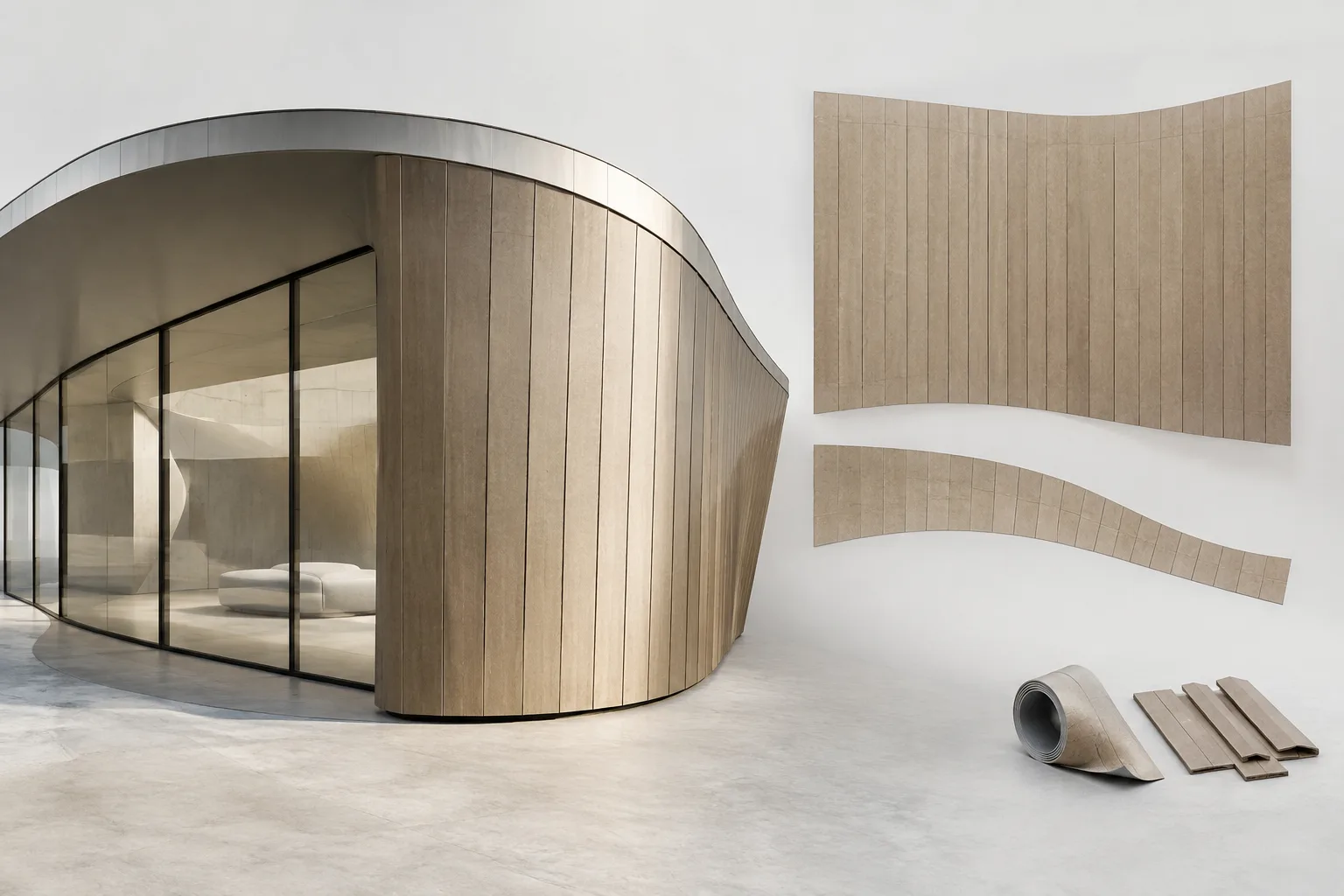
The command to use when turning a 3D surface into a flat pattern in Rhino 8 depends on the surface’s curvature. McNeel’s Rhino 8 documentation describes UnrollSrf for developable surfaces with curvature in one direction, and Smash and Squish for approximate unrolling of doubly curved surfaces. The workflow is to identify the surface type first, then review the unrolled area and distortion indicators.
1. Inspect the surface before unrolling
Whether a surface can be turned into a flat pattern depends on the direction of its curvature. Shapes such as cylinders and cones are examples of developable surfaces: by the criterion described in Rhino’s documentation, they have straight lines running across the surface from one edge to another. Spheres, tori, and surfaces curved in two directions cannot be flattened without stretching or compression.
Before choosing an unrolling command, use Gaussian curvature analysis to identify doubly curved areas. The Curvature command can also help inspect curvature as you move the cursor over the surface. According to Rhino’s documentation, a developable surface shows one direction of curvature, while a doubly curved surface shows curvature in two directions, represented by two arcs.
Select the surface or polysurface to unroll and analyze its curvature.
If the surface curves in one direction, use the
UnrollSrfcommand.If it has double curvature, compare Smash and Squish for approximate unrolling or distortion analysis.
2. UnrollSrf for developable surfaces
UnrollSrf converts a surface or polysurface with curvature in one direction into a planar surface. In Rhino 8, the menu path is Surface Tools › Surface › Surface Flattening › Unroll Developable Surface. If a trimmed polysurface cannot be unrolled, McNeel recommends removing the trimming curves, unrolling the surface and curves, and then trimming again in the plane.
The command options determine how pieces are arranged and how the result is marked. When Explode is enabled, the resulting surfaces are not joined; when it is disabled, surfaces are rejoined along edges that were joined in the source polysurface. If the unrolling needs to be split along particular edges, those edges can be separated beforehand with the UnjoinEdge command. Labels adds numbered points to matching edges on the source and unrolled surfaces; KeepProperties transfers the source object’s properties to the result.
Rhino may show a warning if there is a difference between the area of the unrolled surface and that of the original. Check the warning and the result: the documentation notes that differences in area and linear dimensions can occur even with developable surfaces. When LinearDirection=Natural is used, RelativeTolerance affects how much deviation is allowed for a direction to be considered linear; a smaller value means a stricter criterion. The documentation notes that a value of 1.0 may allow many free-form surfaces to be unrolled, but this value alone does not guarantee accuracy.
3. Smash and Squish for doubly curved surfaces
Smash produces an approximate 2D unrolling without requiring the surface to be linear in a single direction. It may be considered for fabric-like materials that allow flexibility or a certain amount of stretching. However, a flat equivalent of doubly curved geometry is not an exact paper pattern; the result will have some error. The menu path is Surface Tools › Surface › Surface Flattening › Smash Double-Curved Surface.
Squish can be used when you need to see where distortion occurs and to what extent. In Rhino 8, this command converts a doubly curved 3D mesh or NURBS surface into a flat 2D pattern. Areas of compression are shown as red point clouds, and areas of stretching as green point clouds; up to ten text dots may appear at locations with the greatest changes. The report also includes area change and estimates of compression and expansion.
| Setting | Recommended value | Effect |
|---|---|---|
| Deformation | As needed: Free, StretchMostly, StretchOnly, CompressMostly, or CompressOnly | Sets the preference for whether the unrolled pattern should stretch or compress more when returning to the 3D shape. |
| Material | Rigid or Floppy, according to the production material | Rigid aims to reduce mechanical stresses when creating the 3D shape; Floppy aims to limit geometric distortion. |
| PreserveBoundary | Use when boundary lengths need to be preserved | Helps reduce distortion of boundary lengths. |
| SplitSeams | Use when a closed mesh needs to be split along a seam | Allows the mesh to be split along a seam so it can be unrolled. |
With the CustomA, CustomB, and CustomC options, you can adjust the BndStretch, BndCompress, InteriorStretch, and InteriorCompress parameters. The documentation states that the default value for these parameters is 1 and that they can take positive values. Increasing a value reduces the effect of the corresponding deformation compared with the effect when the other parameters are equal. In one of McNeel’s examples, InteriorCompress is set to 100 to limit expansion in the interior; in an example for preserving boundary lengths, BndStretch and BndCompress are set to 10, while the interior parameters are set to 1. These are not universal settings for every project.
4. What to consider in architectural and visualization workflows
For architects, interior designers, and visualization teams preparing 2D patterns for curved surfaces, the first decision is whether the command is appropriate for the surface type. UnrollSrf is intended for developable surfaces; Smash and Squish produce approximate results for doubly curved surfaces. If you are preparing a pattern for production, do not approve it simply because the command has completed: also review the area difference and the stretching and compression estimates in the Squish report.
Squish is an algorithm that attempts to reduce changes in the area and edge lengths of surface patches on a mesh. Rhino’s documentation emphasizes that this method does not fully model real physical behavior, especially when material thickness or significant stretching and compression are important. If material, cutting, or bending costs matter, treat the result as an initial assessment and verify the production decision against the actual material and manufacturing conditions.
Common mistakes
Expecting UnrollSrf to produce a flawless, exact unrolling of a doubly curved surface.
Treating Squish’s color indicators as a complete simulation of real material behavior.
Ignoring the UnrollSrf area warning or the potential effect of the LinearDirection setting.
Failing to assess the surface type, distortion report, and material conditions together before sending the unrolled pattern to production.
Sources
3 sourcesSource texts are not republished; short quotes are marked, everything else is our own summary and commentary.
For architecture and interior design firms in Turkey, these commands can help evaluate the 2D equivalent of curved surfaces at an early stage and identify an unsuitable unrolling method. Establishing a shared in-office step for choosing commands based on surface type and checking reports can help reduce the risk of rework.
However, a pattern generated by Rhino should not, by itself, be treated as production approval. If material flexibility, thickness, or cutting costs are important, Squish output should be considered an initial assessment and verified under production conditions. The documentation does not specify any special hardware requirements for this workflow; the key considerations are classifying the geometry correctly and checking the result, rather than licensing or hardware.
Frequently asked questions
Which surfaces can you use UnrollSrf on in Rhino?
It is used to flatten developable surfaces or polysurfaces that curve in one direction. Spheres and surfaces curved in two directions cannot be accurately unrolled with this method.
What is the difference between Smash and Squish in Rhino?
Both can be used for approximate unrolling of doubly curved surfaces. Squish also visually indicates areas of compression and stretching and provides distortion statistics.
Can a Squish result be used directly as a production pattern?
Rhino’s documentation states that Squish does not fully model real material behavior. The suitability of the result for production must also be assessed against the material and manufacturing conditions.