In brief
- Tripo P2.0 became available through Tripo Studio and the API on 21 September 2026.
- The model can generate quad meshes with up to 25,000 faces or triangle meshes with up to 50,000 faces, and produce four variations from a single prompt.
- Mesh Edit regenerates a selected part of the mesh without changing the rest.
- Competitor Meshy 7.1 introduced its Ultra 4K mode, with a geometry resolution of 4096³, on 10 September.
Chinese 3D AI company Tripo AI released Tripo P2.0, its new foundational model for generating 3D models from images and text, on 21 September 2026. The company describes it as the first AI 3D model to generate quad topology directly. P2.0 is available through the Tripo Studio web interface and API; the preview released in August has been expanded with multi-version generation and regional mesh editing (Mesh Edit).
Why does Tripo P2.0 matter?
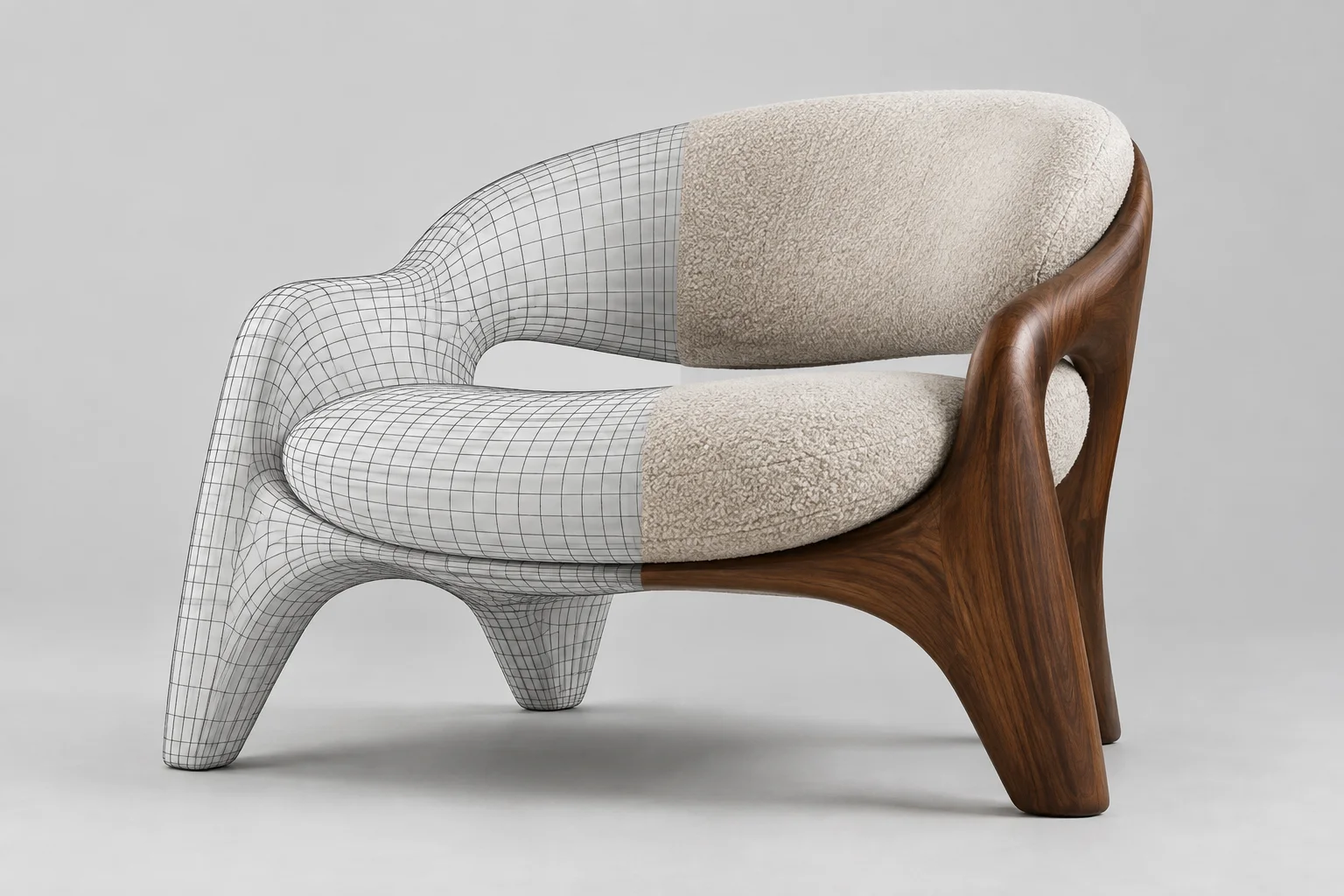
Until now, most image-to-3D models have produced dense, irregular meshes made up of triangles. While these meshes can look good visually, they typically need to be retopologized before they can be edited, UV-unwrapped, detailed or prepared for animation. Game and film workflows, meanwhile, use quad-based meshes.
Tripo Chief Scientist Dr. Yanpei Cao sums up the problem: “Topology has been the wall between AI-generated 3D and real production.” P2.0’s claim is that it generates a quad-dominant mesh directly, rather than converting one afterward, and provides part segmentation with edge flow closer to what an artist would create.
What are the standout features?
Quad and triangle output: Triangle meshes can have up to 50,000 faces, while quad meshes can have up to 25,000. According to Digital Production’s test, the lower limit is 500 faces, so the polygon budget can be set in advance.
Multiple versions: A single prompt can produce up to four variations with different face counts.
Mesh Edit: A selected area of the mesh can be regenerated while the rest remains unchanged.
Multi-view input: Four reference angles can be provided: front, back, left and right.
Smart UV: One-click UV unwrapping creates a layout ready for texturing.
Export: FBX, GLB, OBJ, USDZ, STL and 3MF.
Digital Production reports that free use is limited to two single-image generations, while multi-view generation and commercial usage rights are available on paid plans.
What does this mean for architecture and interior design?
Tripo promotes the model for use cases including game characters, vehicles, accessories and buildings. For interior design and archviz, the most practical application is scene filler assets: decorative objects, a custom lighting fixture, a piece of furniture with no 3D model in the catalogue, or a sculpture for a landscape scene.
Dense, irregular triangle meshes caused two problems with these kinds of assets: they added unnecessary weight to scenes and made even small edits in 3ds Max, Blender or SketchUp nearly impossible. Being able to set the polygon budget in advance and generate quad-dominant output could help keep these assets lighter in a scene and make them easier to adjust by hand when needed. Mesh Edit is also useful for local revisions, such as regenerating only the legs of a chair.
There are caveats, however. Digital Production’s test emphasizes that quad topology alone does not mean a mesh is ready for animation, that technical transparency about how the model builds internal structures is limited, and that multi-view input cannot resolve geometry that remains completely hidden. These models are still no substitute for CAD or BIM modeling when it comes to architectural elements, straight lines and components requiring dimensional accuracy.
Where do the competitors stand?
That same month, competitor Meshy released Meshy 7.1 on 10 September. This version focuses on a different area: its new Ultra 4K mode raises geometry resolution from 2048³ to 4096³ and can generate raw meshes with up to 80 million triangles before simplification. Ultra 4K currently works with single-image input only, and high-resolution modes require a paid subscription.
| Model | Release | Focus |
|---|---|---|
| Tripo P2.0 | 21 September 2026 | Native quad topology, up to 25,000 quad faces |
| Meshy 7.1 | 10 September 2026 | Ultra 4K, 4096³ geometry, raw meshes with up to 80 million triangles |
In short, the two companies are targeting different needs: Tripo is focused on editable, lightweight meshes, while Meshy prioritizes surface detail. For archviz, high resolution is more useful for objects that need close-up detail, while lightweight, clean topology makes more sense for filler assets placed in large numbers across a scene. Tripo also announced Series B and B+ funding rounds totaling 3 billion yuan on 1 September, signaling that development is set to accelerate.
How does it work with existing software?
Digital Production reports that Tripo offers integrations with more than 10 DCC (digital content creation) applications. For archviz teams, a practical workflow can be summarized as follows: provide the model with a product photo or reference images taken from several angles, choose the polygon budget according to how frequently the asset will be used in the scene, export it as FBX, and reassign the materials in the render engine being used.
Scale checks should not be skipped. Since image-generated models do not carry real-world dimensions, each object added to a scene needs to be scaled manually to match the measurements in the product catalogue.
Sources
4 sourcesSource texts are not republished; short quotes are marked, everything else is our own summary and commentary.
The biggest reason image-to-3D models have not become widespread in archviz is that their output meshes have been too messy to place in a scene and edit. Tripo P2.0 addresses this barrier with a polygon budget that can be set in advance and quad-dominant output. It could save interior design offices in Turkey significant time when creating decorative objects or custom accessories that are not available in catalogues.
That said, it is important to remember that commercial usage rights are available on paid plans and that the model does not provide dimensional accuracy for architectural elements. Before using it in client projects, check the licensing terms and manually verify the scale of generated assets before adding them to a scene. Comparing the cost of a dollar-based subscription with the number of custom objects the office models each month will also help inform the right decision.
Frequently asked questions
Is Tripo P2.0 free?
According to Digital Production’s test, free use is limited to two single-image generations. Multi-view generation and commercial usage rights are available on paid plans.
Which export formats does Tripo P2.0 support?
The model supports export in FBX, GLB, OBJ, USDZ, STL and 3MF formats. FBX is recommended to preserve quad topology.
What is the difference between Meshy 7.1 and Tripo P2.0?
Tripo P2.0 focuses on editable, lightweight, quad-dominant meshes. Meshy 7.1 targets high surface detail with raw meshes of up to 80 million triangles in its Ultra 4K mode.