In brief
- Imagen models are no longer available in the Gemini API; Google recommends switching to Nano Banana for image generation.
- The model ID listed in the documentation for Nano Banana 2.1 is gemini-nano-banana-2.1.
- The API examples can generate images from text input; editing can be done by sending an image along with text.
- Google reminds users that they must have the necessary rights to use uploaded images.
What will you learn in this guide?
This guide explains how Nano Banana can be used through the Gemini API to generate architectural images and edit reference images. The goal isn’t to treat the model like BIM or 3D modeling software, but to visualize a design idea, explore alternative moods, and request text-based changes to an existing image.
The examples were created specifically for residential interiors and architectural concept work. The prompts describe the space, materials, lighting, and composition to include in the image. Keep in mind from the outset that generated results are no substitute for technical drawings, dimensioned models, or construction documents.
Requirements and model selection
The source documentation demonstrates Gemini API access and the workflow for creating interactions through the API. The Python example uses the genai client from the google package; the REST example sends the API key in the x-goog-api-key header. The documentation does not specify the required SDK version, pricing, or API access terms in this content. Check the current API documentation before getting started.
Google’s model list includes several options in the Nano Banana family. The documentation recommends Nano Banana 2.1 for new projects; its model ID is gemini-nano-banana-2.1. Nano Banana 2 is listed under the ID gemini-3.1-flash-image. Nano Banana 2 Lite is intended for tasks where speed and cost are priorities; the source notes that this model is not optimized for multiple reference inputs or sequential, multi-turn editing. For the most complex image tasks, Nano Banana Pro is identified as gemini-3-pro-image.
The older Imagen models have been shut down in the Gemini API. Google’s migration note recommends using Nano Banana models instead of Imagen and switching from generate_images to generate_content for image generation. The new API example in the Nano Banana documentation uses the interactions.create workflow. Rather than running old code as-is, follow the method in the current documentation for your chosen model.
Generate an image step by step
Define the purpose. Focus on a single output type for your first try, such as an interior concept image. Describe the space type, viewpoint, daylight, and key material qualities in your prompt. Instead of packing requests for many alternatives into the first prompt, review the result and then make a new editing request.
Choose a model and API workflow. In the Python example shown in the documentation, the client is created with
genai.Client(), then the model ID and text input are passed to aninteractions.createcall. The generated image data is retrieved frominteraction.output_image.dataand written to a file after Base64 decoding. The example below follows the documented structure; before running it, make sure you have API access and the Python client set up in your environment.
from google import genai
import base64

client = genai.Client()
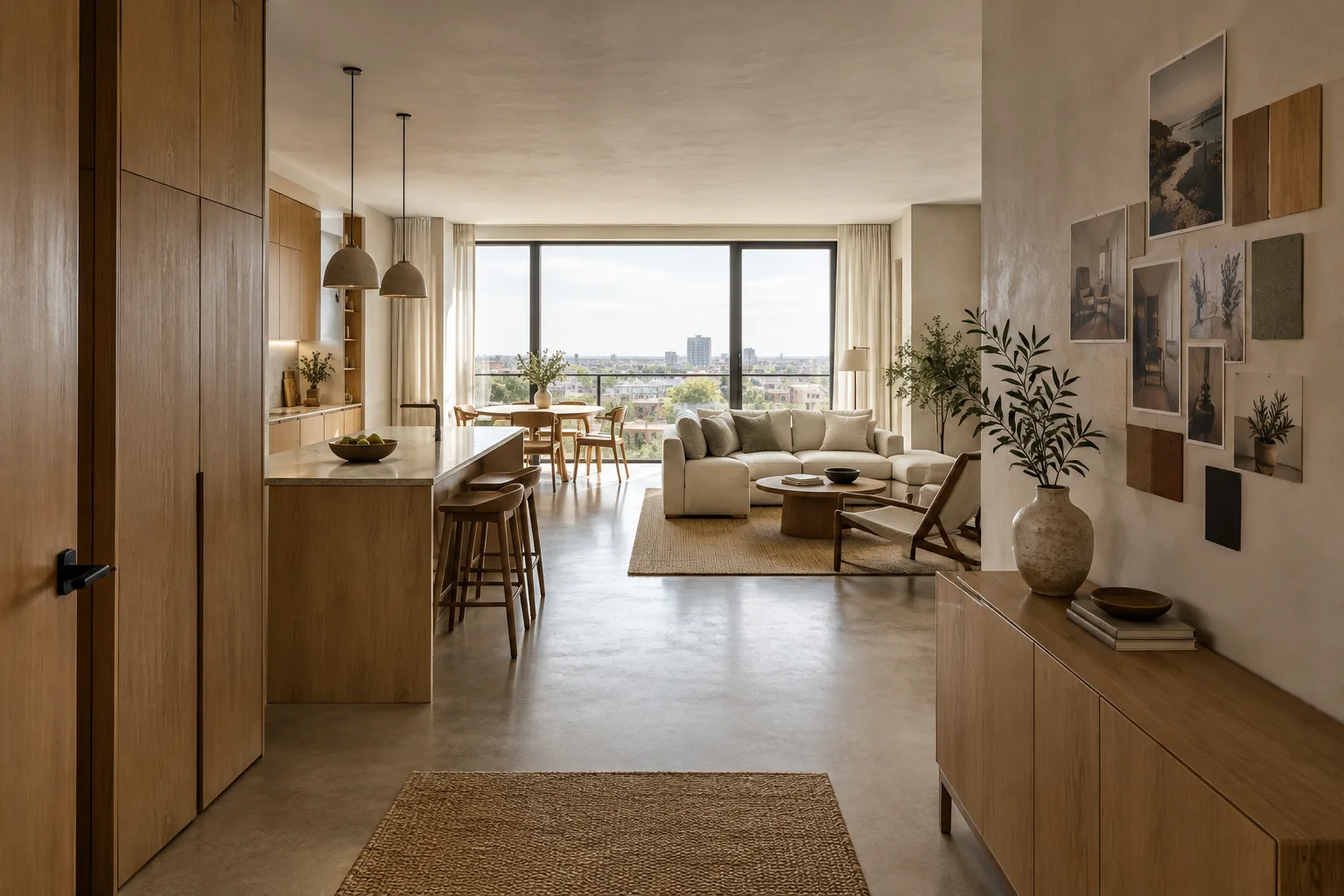
prompt = "Create a photorealistic architectural visualization of a compact contemporary apartment living room, viewed from the entrance. Pale oak cabinetry, warm off-white plaster walls, soft overcast daylight, restrained furniture, realistic material textures, no people."

interaction = client.interactions.create(
    model="gemini-nano-banana-2.1",
    input=prompt,
)

with open("ic-mekan-konsept.png", "wb") as image_file:
    image_file.write(base64.b64decode(interaction.output_image.data))
This example shows how to generate an image from a single text input. The prompt is written in English and clearly specifies the space, viewpoint, materials, and lighting preferences. Treat the generated file as a visual aid for concept review, not as a verified record of a design decision.
Build the first prompt with focus. You can use the following text to create a concept image, changing the room function and material preferences to suit your project.
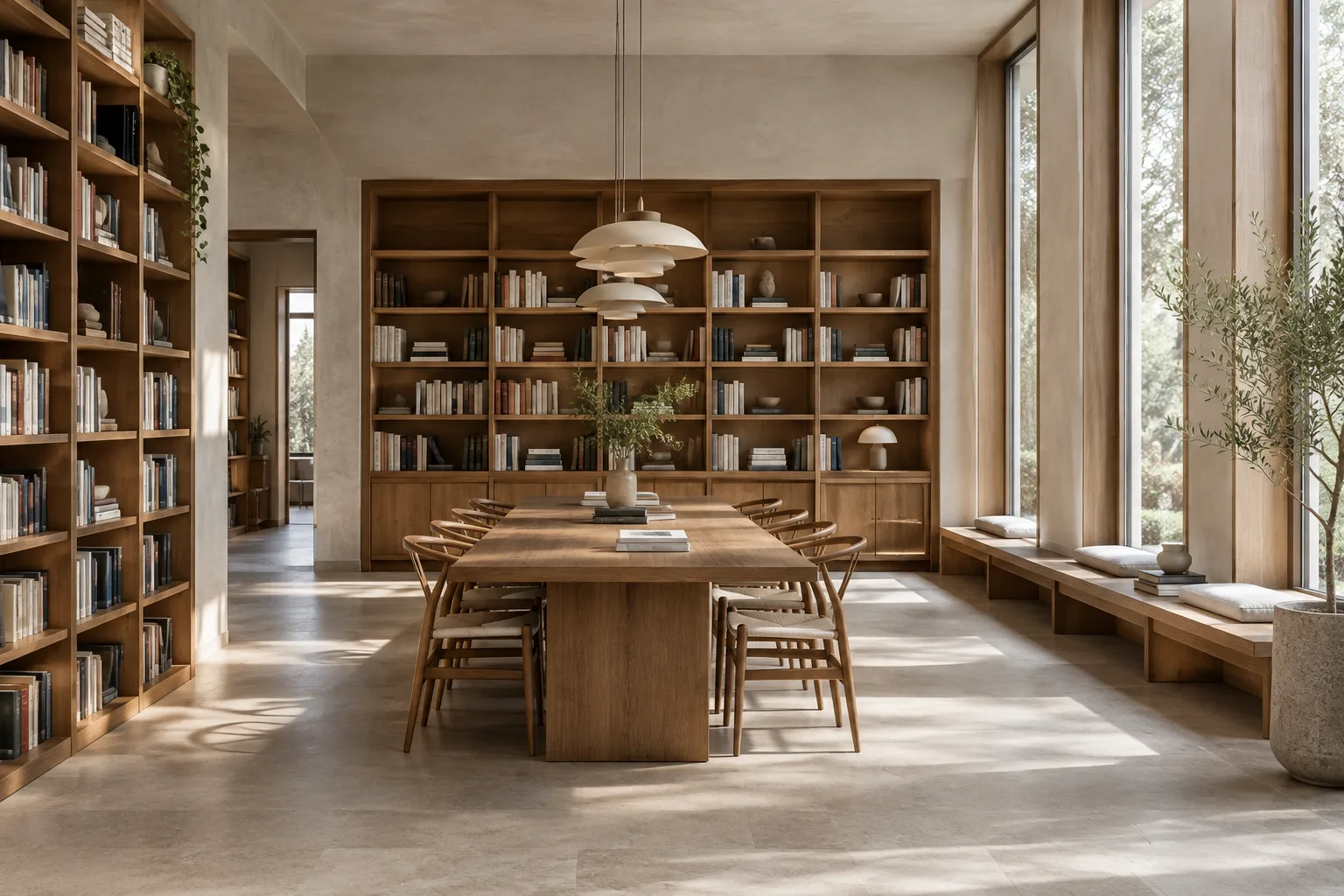
Create a photorealistic architectural visualization of a small contemporary library reading room, eye-level wide view from the entrance. Built-in pale oak bookshelves, a long communal table, matte mineral plaster walls, soft north-facing daylight, calm neutral palette, believable architectural proportions, no people, no text.The prompt describes the viewing direction, furnishings, material qualities, and lighting for a reading space. Based on the first result, request a new variation by changing one element, such as the direction of the light or the wall finish. This makes it easier to assess which description changed the image.
Edit a reference image with text. The documentation provides a workflow that supports sending text alongside an image input and requesting additions, removals, or changes to style or color. Before uploading an image, confirm that you have the rights to use it. The prompt below aims to change the mood of an existing room image; send it as text input along with the image to be edited in the API request.
Using the provided interior reference image, keep the room layout and camera viewpoint recognizable. Change the lighting to soft late-afternoon daylight and make the wall finish warm lime plaster. Preserve the existing furniture arrangement; do not add people or text.This prompt asks to preserve the existing layout; still, compare the result with the reference image and check whether the geometry or furnishings have changed. Since there’s no guarantee that the model will preserve every requested detail exactly, don’t treat this method as a technical revision or a dimensioned model update.
Refine the result in another turn. The Nano Banana documentation describes conversational image use and sequential editing; models differ in how well they support multi-turn editing. Nano Banana 2 Lite is not described as being optimized for sequential editing of this kind. If you need to improve an output step by step, take this difference into account when choosing a model.
In the current interior image, reduce the visual prominence of the ceiling lights and make the daylight feel softer. Keep the room composition, furniture positions, and material palette otherwise unchanged.Rather than describing the composition from scratch, this prompt focuses on a single visual quality. Also check which elements remain unchanged in the output; assess visually whether the stated constraints have been preserved.
Common issues
Using the old Imagen workflow: Google reports that Imagen models have been shut down in the Gemini API. Use the current Nano Banana documentation instead of old model names or the previous generation method.
Trying to do everything in one prompt: A large number of unrelated changes can make results harder to interpret. First establish the core idea for the space, then address one variable, such as lighting or materials, in a separate editing turn.
Ignoring rights to a reference image: Google explicitly reminds users that they must have the rights to use uploaded images. Check this before using project images, photographs, or other references.
Mistaking a concept output for a technical document: The sources describe image generation and editing workflows; they do not say that these generate dimensioned architectural models or construction documents. Carry out the necessary design and technical checks in the relevant project tools.
How can it fit into an architecture or interior design workflow?
Architects, interior designers, and visualization teams can consider Nano Banana for early-stage ideation, exploring mood options, and trying creative edits to existing images. Text-based generation and image-input editing through the API make it possible to incorporate these visual experiments into an existing workflow. However, the sources do not specify a plugin, file exchange, or direct compatibility with any particular 3D software.
For office use, model selection, API costs, and output accuracy for the project should be assessed separately; since the documentation gives no pricing information, it would be unwise to assume costs. Hardware requirements are not discussed in the sources either. When an image could affect design decisions, compare it with the reference design and separately verify important spatial details.
Next steps
Start by generating a concept image from a single text input, then try an editing request that changes one property, such as lighting or materials, in the same image. If the tool will be used by a team, record the model ID and prompt in your project notes. Check usage rights before uploading images belonging to real people or organizations, and review the current documentation before implementation, as API methods and model options may change.
Sources and licensing
Google AI for Developers’ Imagen migration note and Nano Banana image generation guide are licensed under CC BY 4.0. This tutorial adapts the API and model information in those documents into Turkish and includes new sample prompts for architectural use.
Sources
2 sourcesSource texts are not republished; short quotes are marked, everything else is our own summary and commentary.
For architecture and visualization teams, the most practical uses may be exploring mood in the early stages and quickly trying edits to existing images. The API-based workflow may also be worth considering for teams looking to automate image generation; however, the documentation does not specify pricing or hardware requirements.
It would therefore be sensible for offices in Turkey to first set up a small-scale test workflow and evaluate the cost, consistency of results, and rights related to project confidentiality. Nano Banana should be positioned as a tool that supports concept development, not as a substitute for dimensioned modeling or technical verification.
Frequently asked questions
Which Nano Banana model ID can be used instead of Imagen?
Google’s migration note recommends switching to Nano Banana models. The model ID listed in the documentation for Nano Banana 2.1 is `gemini-nano-banana-2.1`.
Can an existing architectural image be edited with Nano Banana?
Yes. The documentation shows a workflow that sends text alongside an image input to request additions, removals, or changes to the image’s style and color. You must have the rights to use the uploaded image.
How do you retrieve output in Nano Banana API examples?
In the Python example, after calling `interactions.create`, the image data is retrieved from `interaction.output_image.data` and written to a file after Base64 decoding.