In brief
- AI 3D Model Generation in Chaos Cosmos creates 3D models from a single reference image for use in V-Ray, Corona, Vantage and Envision.
- Users can choose Tencent HY 3D (more detailed) or Microsoft TRELLIS.2 (faster) for generation.
- The feature is free and uses no Chaos Credits during the beta; Enscape support is said to be coming soon.
- Search by Image lets users find models and materials in the Cosmos library that resemble an uploaded image.
On 9 September 2026, Chaos announced two new AI features for its Cosmos asset library. According to a post on the company's official blog, users can now generate a 3D model from a single reference image in Cosmos Browser (AI 3D Model Generation, early beta) and search the library for similar models and materials by uploading an image (Search by Image). Generated models can be used in V-Ray, Corona, Vantage and Envision without any additional conversion or preparation beyond updating Cosmos to the latest version.
How do you generate a 3D model from a single image?
The process takes place in AI Assets Generator in Cosmos Browser. Users can upload, drag and drop, or paste an image, then choose the generation model and settings. Chaos offers two model options:
Tencent HY 3D: Recommended for more detailed models when visual quality is the priority.
Microsoft TRELLIS.2: Optimized for faster generation; suitable for objects that are not the focal point of a scene.
For the settings, there are Draft, Medium (default) and High presets for quick selection. These presets set three core parameters together:
| Setting | What does it do? |
|---|---|
| Resolution | The density of the voxel grid that forms the shape; a higher value means finer detail but takes longer |
| Polycount | The number of polygons in the exported mesh; it affects only the file size |
| Texture resolution | The size of the final textures |
| Shape fidelity (experimental) | How closely the geometry matches the reference image |
Chaos has an important note: increasing Polycount does not add more detail to the model; it only increases the file size. To get more detail, you need to increase Resolution. As Shape fidelity increases, the model more closely resembles the reference, but unwanted details may also appear.
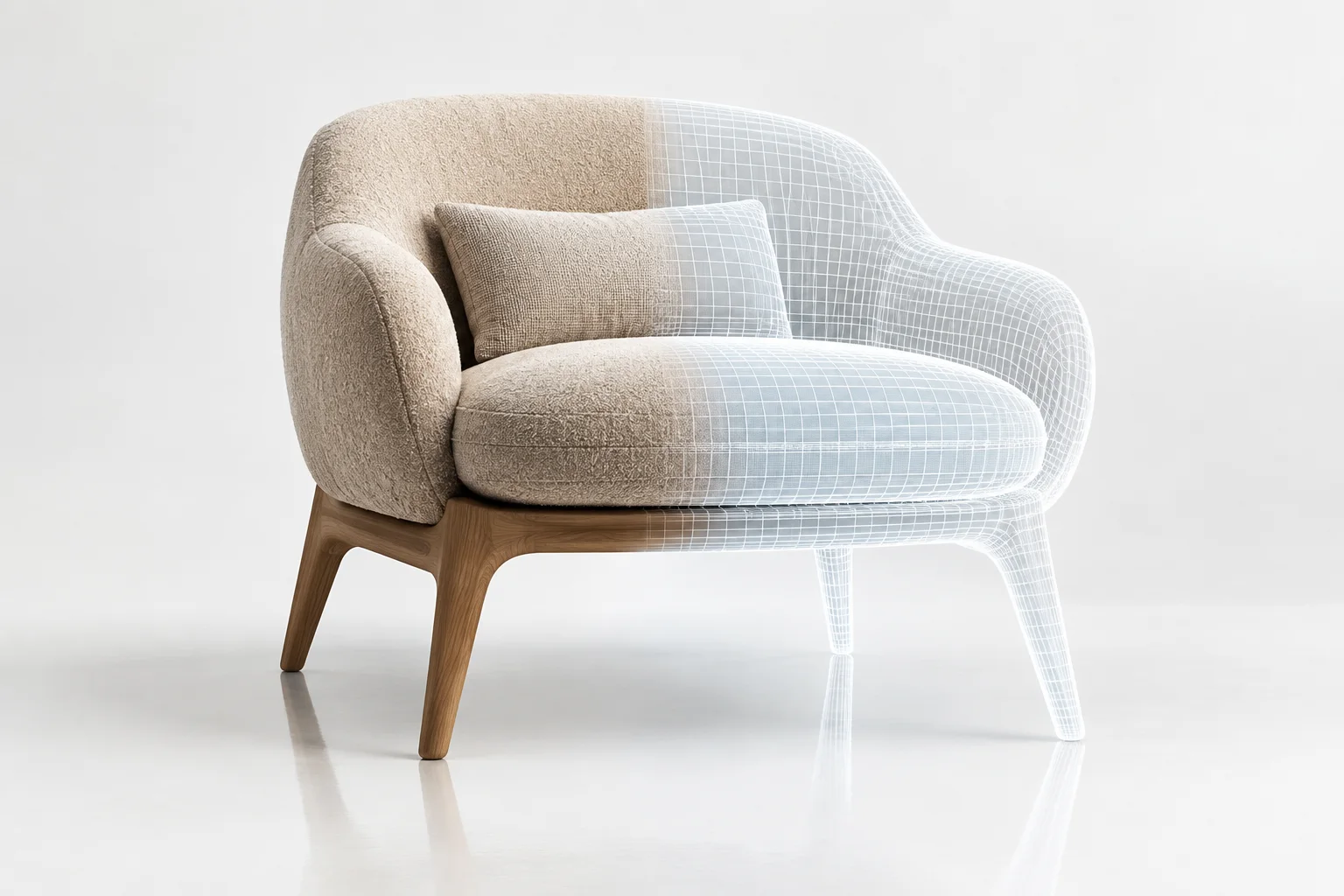
The generated model can be inspected as geometry and a wireframe in the interactive 3D viewer. Once satisfied, users can download it; the model is converted to Cosmos format and stored alongside other assets. AI-generated models can be accessed from the AI Generated card on the Cosmos homepage or from the AI-generated category in the downloads section.
Search by Image: no keywords needed
The second new feature, Search by Image, lets users search with an image instead of a keyword. The uploaded image can be cropped to focus on a specific object or area, and results can be refined with a text prompt. According to Chaos, individual 3D objects, materials and surfaces, furniture and decor, product references, and complete interior scenes can all be used as references.
Chaos recommends using the two features together: first, search by image to check whether the asset is already in the library; if it is not, generate a new model from the same image using AI.
How to get started
The steps outlined by Chaos are straightforward:
Update Chaos Cosmos to the latest version.
Open Cosmos Browser from the menu in the software you are using.
Select the Generate button in AI Assets Generator.
Upload, drag and drop, or paste an image.
Choose a generation model (HY 3D or TRELLIS.2) and settings, then click Generate.
To search by image, select Search by image in Cosmos Browser. After uploading an image, users can optionally crop it, review suggestions for similar assets, and refine the results with a text prompt if needed. This approach is especially useful for users who do not know the exact keyword for the object they are looking for.
Pricing and availability
According to the Chaos FAQ, AI 3D Model Generation is free during the beta and does not consume Chaos Credits. The feature is currently available to V-Ray, Corona, Vantage and Envision users; Enscape support is said to be coming soon. Users can rate generated models using the star icon or share feedback through the Chaos forum.
The impact on interior design and archviz workflows
One of the most time-consuming tasks in archviz is placing a piece of custom furniture or an accessory selected by a client into a scene accurately. If the manufacturer does not have a 3D model, artists either model it from scratch or look for a similar one. Cosmos's new features bring these two steps together in one window: users can first search the library for a similar asset, then quickly generate a model from a product photo if they cannot find one.
Chaos's own recommendation follows the same approach: fast models generated with TRELLIS.2 are suitable for background decor, while HY 3D and higher settings should be used for close-up shots. It is also worth remembering that the feature is in early beta and its results are still being refined.
Search by Image offers another convenience for interior designers who work with mood boards. Upload and crop a client's reference interior photo to find a similar material, light fixture or piece of furniture directly in the Cosmos library. This can shorten the time it takes to go from a reference image to a scene.
Sources
3 sourcesSource texts are not republished; short quotes are marked, everything else is our own summary and commentary.
These two features coming to Cosmos could directly save time for interior design studios and visualization artists in Turkey. Since most local manufacturers still do not offer 3D models, quickly generating a model from a catalogue photo could be especially useful when filling a scene or preparing an initial presentation.
Still, expectations should be kept realistic: the feature is in early beta, and it should not be expected to replace manual modeling for hero objects seen in close-up. Being free during the beta is a good opportunity to try it, but pricing after the beta has not yet been announced. It is also worth reviewing the terms of use before uploading client images or copyrighted product photos; clarifying the rights to use the generated model in commercial projects is also the studio's responsibility.
Frequently asked questions
Is Chaos Cosmos AI 3D Model Generation paid?
According to Chaos, the feature is free during the beta and does not use Chaos Credits. Pricing after the beta has not yet been announced.
Which AI models are used to generate 3D models from images in Chaos Cosmos?
Users can choose between Tencent HY 3D and Microsoft TRELLIS.2. HY 3D is recommended for more detailed models, while TRELLIS.2 is recommended for faster generation.
Is this feature available in Enscape?
It is currently available to V-Ray, Corona, Vantage and Envision users. Chaos says Enscape support is coming soon.