In brief
- Nano Banana is the name used for Gemini’s built-in image generation and editing capabilities.
- In the Gemini API, Nano Banana 2.1 is identified by the model ID `gemini-nano-banana-2.1`.
- The API supports generating images from text prompts and requesting edits by providing text alongside an image.
- Google reminds users that they must have the necessary rights to use uploaded images.
What will you learn in this guide?
We’ll cover how to create an atmospheric image for an architectural idea with Nano Banana, request targeted changes to an existing render, and refine results step by step. The examples are designed for concept development, exploring material alternatives, and generating visual ideas before a presentation. They are prompt starting points for visual research and design communication—not technical documents that replace dimensioned, verified project drawings.
Google’s Gemini API documentation describes Nano Banana as the name used for Gemini’s image-generation capabilities and its ability to process images within a conversation. The documentation shows how to create a new image using text alone, as well as how to provide text and an image together as input to edit an existing image. Requests can be refined iteratively; the first result is not the final decision, but a starting point for subsequent prompts.
Requirements and model selection
This guide covers using the API. You’ll need access to the Gemini API and an API key for your requests; in the official examples, the key is used under the name GEMINI_API_KEY. The Python example creates a client from the google.genai module. The source doesn’t specify the required SDK version or pricing details, so check access and cost conditions separately before getting started.
The API model ID for Nano Banana 2.1 is gemini-nano-banana-2.1. Google describes it as its main image-generation model, focused on high efficiency, and reports improvements in text handling, multi-step editing, image quality, and Google Search grounding. These are the product claims made by the vendor. The documentation also lists Nano Banana 2 Lite, Nano Banana 2, and Nano Banana Pro. Lite is offered for use cases where speed and cost are priorities, but is not optimized for multiple reference inputs or sequential editing. Since pricing and availability conditions aren’t provided here, check the latest API information before choosing a model.
Architectural image generation, step by step
Define the purpose of the image. Be clear about whether you want an interior mood study, an alternative façade material, or a landscape concept. Describe visible characteristics in the prompt, such as the scene type, key spatial elements, lighting, and framing. Rather than leaving everything vague in a single sentence, clearly state how you want the result to look.
Create an initial concept image. You can adapt the example below for a text-to-image request.
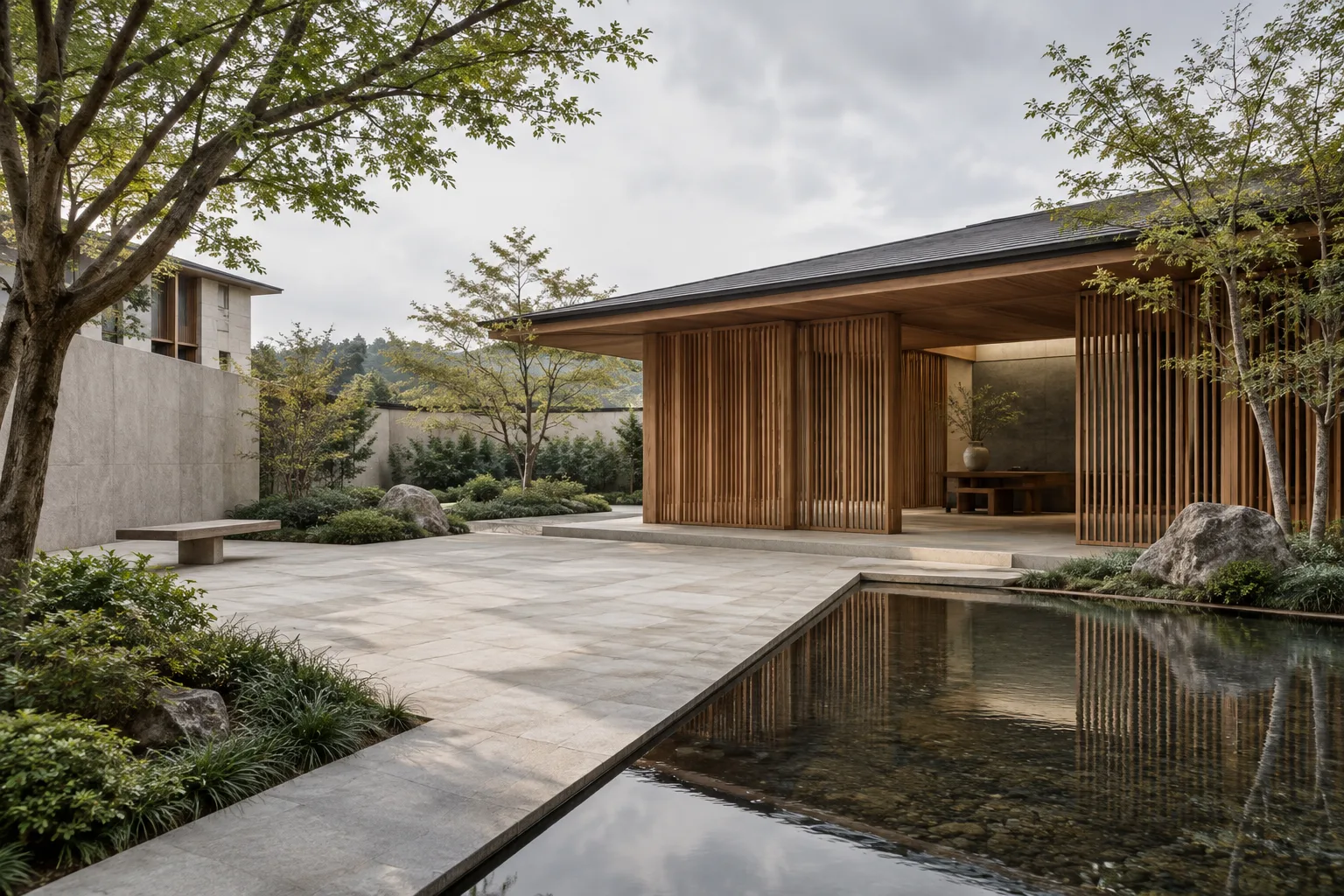
Create an architectural concept image of a compact urban courtyard for a small cultural building. Show a sheltered seating area, a shallow reflecting pool, planted edges, pale stone paving, and warm timber screens. Use soft overcast daylight, a human-height camera view, restrained natural materials, and a calm atmosphere. Keep the composition uncluttered and do not add signage or readable text.This prompt describes the building type, spatial elements, material feel, lighting, and camera viewpoint separately. Note any features missing from the initial result. For example, if the planting is too dense, ask in the next prompt only to reduce the planting density.
Request changes to an existing render. The API example allows text and an image to be sent in the same input. Attach the image you want to edit, then specify which qualities to change and which to preserve.
Use the supplied interior visualization as the base image. Change the floor finish to light, matte limestone and make the wall color a muted warm white. Preserve the room layout, furniture positions, camera viewpoint, window openings, and overall lighting direction. Do not add new furniture or decorative objects.The key approach here is to divide the request into what should change and what should stay the same. This may help prevent the model from reinterpreting everything at once, but the source doesn’t guarantee that every detail of the image will be preserved exactly. Compare the result with the original render, and don’t base project decisions solely on the generated image.
Ask for a separate variation to explore a material alternative. If you want to explore a different surface character in the same scene, focus the prompt on a single main variable.
Create a material study based on the supplied lobby image. Replace the prominent timber wall finish with finely textured terracotta panels in a subdued earth-red tone. Keep the geometry, openings, floor, furniture, camera position, and daylight unchanged. Present the result as a realistic architectural visualization without labels or annotations.This example aims to produce a research image that helps a design team discuss material direction. Since descriptions of color and surface are open to visual interpretation, the result shouldn’t be used in place of a physical material sample or specification.
Change the lighting mood in a controlled way. To explore a different atmosphere while preserving the render’s spatial layout, change only the lighting conditions in your prompt.
Edit the supplied architectural image to show a late-afternoon interior atmosphere. Add warm, low-angle sunlight entering through the existing windows and create soft, natural shadows. Preserve the architecture, surface materials, furniture, camera view, and object locations. Do not introduce additional light fixtures or change the room layout.Working with one variable at a time makes it easier to assess how each instruction affects the result. Since a lighting request may also affect the scene’s colors, check separately whether the materials’ appearance has changed.
Common mistakes
Using vague descriptions: Phrases like “make it better and more modern” don’t explain what should change. Instead, choose concrete elements such as materials, lighting, framing, or a specific feature of the space.
Combining too many changes in one request: Changing the layout, materials, lighting, and furniture all at once makes the result harder to assess. Try one variable first, then request another edit if needed.
Not specifying what to preserve: When working with an existing image, explicitly state which elements of the layout and viewpoint should stay the same. Still check the output; a prompt doesn’t guarantee every detail will remain unchanged.
Uploading images without checking rights: Google requires users to have the necessary rights to the images they upload. Avoid creating content that could infringe on others’ rights or mislead, harass, or harm people.
Next steps: where it fits in an architecture and visualization workflow
Architects and interior designers can consider Nano Banana for early concept research, exploring atmospheres, and visualizing alternative material directions. For archviz artists, requesting edits to an existing image may help explore variations without building a new scene. However, don’t assume the output provides drawings, dimensions, design details, or technical compliance verification.
Before adding it to an office workflow, check API access, usage costs, and image rights; the sources don’t specify pricing or hardware requirements. The official documentation also states that generated images include a SynthID watermark. Recording internally how an image was generated and how extensively it was edited can help prevent concept imagery from being confused with approved design information in project presentations.
Sources and license
This article has been adapted into Turkish using Google’s Gemini API documentation on image generation and prompt design. Both sources are available under the CC BY 4.0 license: the Nano Banana image generation and editing guide and the Prompt design strategies guide.
Sources
2 sourcesSource texts are not republished; short quotes are marked, everything else is our own summary and commentary.
For architecture firms and students in Turkey, Nano Banana 2.1 could be a visual research tool for quickly discussing material and atmosphere alternatives in concept meetings. Being able to use an existing render as input may make it easier to explore some ideas without building a scene from scratch.
However, the source doesn’t explain API access or pricing conditions, so costs and image rights should be assessed before regular use. Generated images shouldn’t be treated as substitutes for technical drawings or approved renders. It’s especially important to verify project geometry and critical design decisions separately against the output.
Frequently asked questions
Can you edit an existing render with Nano Banana 2.1?
Yes. The Gemini API documentation shows that text and an image can be sent together as input to request edits to the image. Specify in the prompt which features to change and which to preserve.
What is the API model ID for Nano Banana 2.1?
The Gemini API documentation lists the model ID as `gemini-nano-banana-2.1`.
Do images created with Nano Banana include a watermark?
According to Google’s documentation, all generated images include a SynthID watermark.