In brief
- The Gemini API documentation lists gemini-nano-banana-2.1 as Nano Banana 2.1’s model ID.
- You can generate images from text prompts or edit them by submitting text and images together.
- Google recommends Nano Banana 2.1 for new projects over the previous workhorse model.
- According to the documentation, generated images include a SynthID watermark.
What will you learn in this guide?
This guide outlines a workflow for writing architecture- and interior-focused image prompts with Nano Banana 2.1 through the Gemini API. You’ll start by describing the scene’s purpose and content, then add clearer visual direction for decisions such as camera angle, materials, lighting, and composition. The final section covers using a reference image alongside a text prompt and editing the result.
The examples here are intended for concept and presentation images. The source documentation explains image generation and editing; it does not provide information about measured project drawings, technical validation, or direct compatibility with a specific architecture application.
Requirements: API and model information
The example workflow is based on the Gemini API documentation. The model ID recommended there is gemini-nano-banana-2.1. The code examples use the Google GenAI client, while the REST example sends an API key named GEMINI_API_KEY. The sources do not specify the SDK version, account setup steps required to use the API, or pricing.
When choosing a model, keep the distinction in the documentation in mind: Nano Banana 2.1 is described as a high-efficiency workhorse model for image generation and conversational editing. The documentation recommends it for new projects. That doesn’t mean the same model or prompt will produce the best results for every architectural task; you’ll need to test prompts and refine them based on the outputs.
Step-by-step: writing an architectural image prompt
Start by defining the purpose of the scene. Write down what should come across in a single frame: for example, how a small home relates to its courtyard, the atmosphere of an entrance space, or a material direction for a lobby. Choose one primary visual idea rather than loading a single prompt with multiple unrelated goals.
Describe the scene, viewpoint, and material character. The example below requests an interior concept. The English prompt is written as text to copy and send to the API.
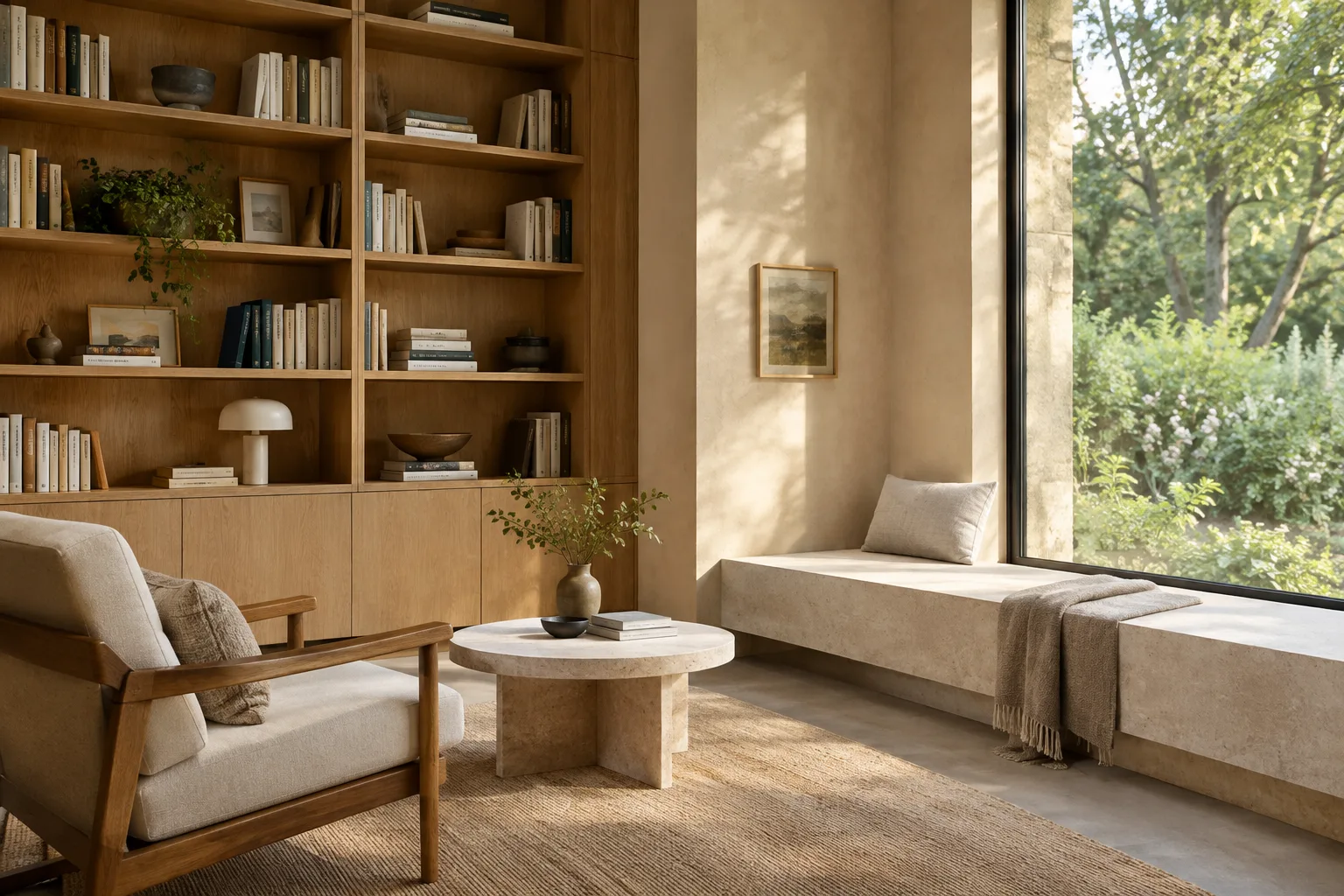
Create a photorealistic architectural concept image of a calm, compact reading room in a contemporary home. Show the full room from a human-height corner view, with a built-in oak bookshelf, a pale stone reading bench, warm off-white plaster walls, and a tall window overlooking a quiet garden. Use soft morning daylight, restrained natural materials, and a clear, uncluttered composition. Do not add people, signage, or decorative text.This prompt clearly specifies the room’s use, framing, and main surfaces. If a particular detail isn’t prominent in the result, try a new iteration that describes it more precisely rather than rewriting the entire prompt from scratch.
Change just one visual decision in the next round. Since Gemini can work conversationally with images, you can refine an image through iterative prompts. For example, ask it to keep the furniture layout while changing only the direction of the light or the material tone.
Keep the room layout, camera position, bookshelf, and reading bench unchanged. Make the daylight softer and more diffuse, and shift the oak finish slightly lighter. Preserve the calm residential atmosphere and the uncluttered composition.State which parts of the existing scene should remain unchanged so the revision request is clear. The documentation lists improvements to consistency across multiple turns among Nano Banana 2.1’s features.
Explore the interior through material and lighting choices. When preparing a presentation alternative, you can keep the same scene concept and change the description of its surfaces or lighting. The example below describes a different material atmosphere for a warm interior.
Create a photorealistic interior concept image of a small hotel lobby with a clear view from the entrance toward the reception desk. Use a dark timber reception counter, textured light limestone flooring, muted green seating, and softly illuminated plaster walls. Show a balanced composition with natural daylight entering from one side. Keep the space quiet and refined, with no people and no visible text.When comparing several alternatives, keeping the framing and basic room layout fixed while changing the material description makes evaluation easier. This is a prompt-design workflow; the sources don’t describe a specific comparison tool or dedicated interface.
Edit using a reference image. In the API examples, text and images are sent together as parts of the same prompt input. You can provide an image from your own work and explain in text which elements you want to change and which to preserve. For example, use this instruction to adjust the landscaping around an entrance façade:
Use the supplied architectural image as the reference. Keep the building massing, façade openings, and camera viewpoint unchanged. Refine the planting around the entrance with a restrained mix of low grasses and small shrubs, and make the daylight softer. Do not alter the architecture or add signs or text.When using this text, also send the reference image to the API; sending only the prompt text is not the same as the image-editing workflow. Make sure you have the rights to use the uploaded image. Google’s documentation advises checking that you have the necessary rights before uploading images and avoiding the generation of content that infringes on others’ rights.
Common mistakes
Leaving the request vague: A general instruction such as “create a beautiful interior” gives the model plenty of room to interpret the scene’s purpose and visual language. Specify the type of space, viewpoint, key materials, and lighting.
Changing everything at once: Changing the camera, materials, layout, and atmosphere in a single revision makes it harder to tell which instruction affected the result. First state what should stay the same, then request one or a few related changes.
Not specifying the output: The prompt-design guide in the sources recommends making instructions clear and specific. Adding expectations about framing, composition, and unwanted elements to your image prompt can also provide a more controlled starting point.
Ignoring the rights to a reference image: Images can be uploaded in the editing workflow, but you should separately check that you have the right to use them. The documentation also notes that generated images include a SynthID watermark.
Next steps: iterate with small experiments
Start with a basic prompt for a scene, then run new iterations in the same framing, changing just one element at a time: lighting, materials, or atmosphere. Review the outputs and note which descriptions come closest to what you want; use those observations to refine your next prompt. This approach develops prompts gradually for different needs instead of relying on a one-size-fits-all formula.
For architecture and interior design teams, this method can be useful for generating early-stage atmosphere and material alternatives. However, the sources provide no information about drawing accuracy, compatibility with project software, API costs, or special hardware requirements. Treat the images as concept outputs that support design decisions, and rely on your own project data and review process for technical decisions.
Sources and licensing
This guide is adapted into Turkish from Google’s Gemini API documentation on image generation and prompt design. Both sources are available under the CC BY 4.0 license: K1, “Nano Banana image generation”; K2, “Prompt design strategies”.
Sources
2 sourcesSource texts are not republished; short quotes are marked, everything else is our own summary and commentary.
For architecture firms and students in Turkey, this approach could be useful for quickly exploring interior atmospheres or material alternatives during early concept work. Its main advantage is that you can start with a text prompt, then move on to reference images and iterative editing. However, the results shouldn’t be treated as technical drawings or verified project data.
Before deciding whether to use it, check API pricing and terms of use separately; the documentation referenced here doesn’t include pricing information. The sources also don’t specify special hardware requirements, so it isn’t possible to make a definitive hardware recommendation for office computers. Keep the rights to uploaded references and the SynthID watermark on generated images in mind as part of the workflow.
Frequently asked questions
How do you generate architectural images with Nano Banana 2.1?
You can send a text prompt describing the scene to the `gemini-nano-banana-2.1` model through the Gemini API. The prompt should clearly specify the space, viewpoint, materials, lighting, and composition.
Can Nano Banana 2.1 edit a reference image?
The documentation includes an image-editing example that uses text and an image together as input. You need to check that you have the rights to use the uploaded image.
Do images created with Nano Banana 2.1 have a watermark?
According to Google’s Gemini API documentation, all generated images include a SynthID watermark.