In brief
- Nano Banana 2.1 is available in the Gemini API for image generation and conversational editing.
- You can add text to prompts; for editing, you can provide an image along with text.
- Google recommends using Nano Banana 2.1 for new projects.
- Generated images include a SynthID watermark.
What will you learn in this guide?
Nano Banana 2.1 can be used through the Gemini API to generate images from text and modify images using text prompts. This guide explains how to describe an image for architectural and interior design work, how to pair an existing image with an editing request, and how to refine results iteratively. The examples are designed for tasks such as concept presentations, exploring material alternatives, and early-stage interior visualization. These outputs should be treated as tools for developing ideas and exploring visuals, not as definitive replacements for design decisions or technical drawings.
The Gemini API guide describes Nano Banana 2.1 as its high-efficiency model for image generation and conversational editing. Google recommends using this version for new projects. According to the developer, the model has been improved in terms of image quality, text rendering in images, multi-turn consistency, and grounding with Google Search. It also offers different resolution options. These are claims from the developer and do not guarantee the same result for every prompt.
Requirements: model, API, and image
To get started, you need access to the Gemini API and an API key. The official documentation lists the Nano Banana 2.1 model ID as gemini-nano-banana-2.1. You can initiate image generation using Google’s Python, JavaScript, Java, or Go clients, or with a REST request. This guide focuses on sample prompts for an image tool rather than code.
To edit an existing image, you also need to include it in the request. The guide shows a method for sending images as encoded data and points to the image understanding documentation for details on supported image types and larger files. The sources do not specify particular hardware requirements for a local computer. Since API usage and pricing terms are not detailed in the sources for this guide, check the latest API information before implementation.
Make sure you have the right to use any images you upload. Google’s documentation reminds users to avoid generating content that infringes rights or misleads, harasses, or harms people.
Step-by-step architectural image generation
Define the purpose of the image. Be clear about whether you want a concept mood, a material alternative, or a limited change to an existing interior image. Rather than requesting every design decision in a single prompt, describe the main objective along with the elements you want to preserve.
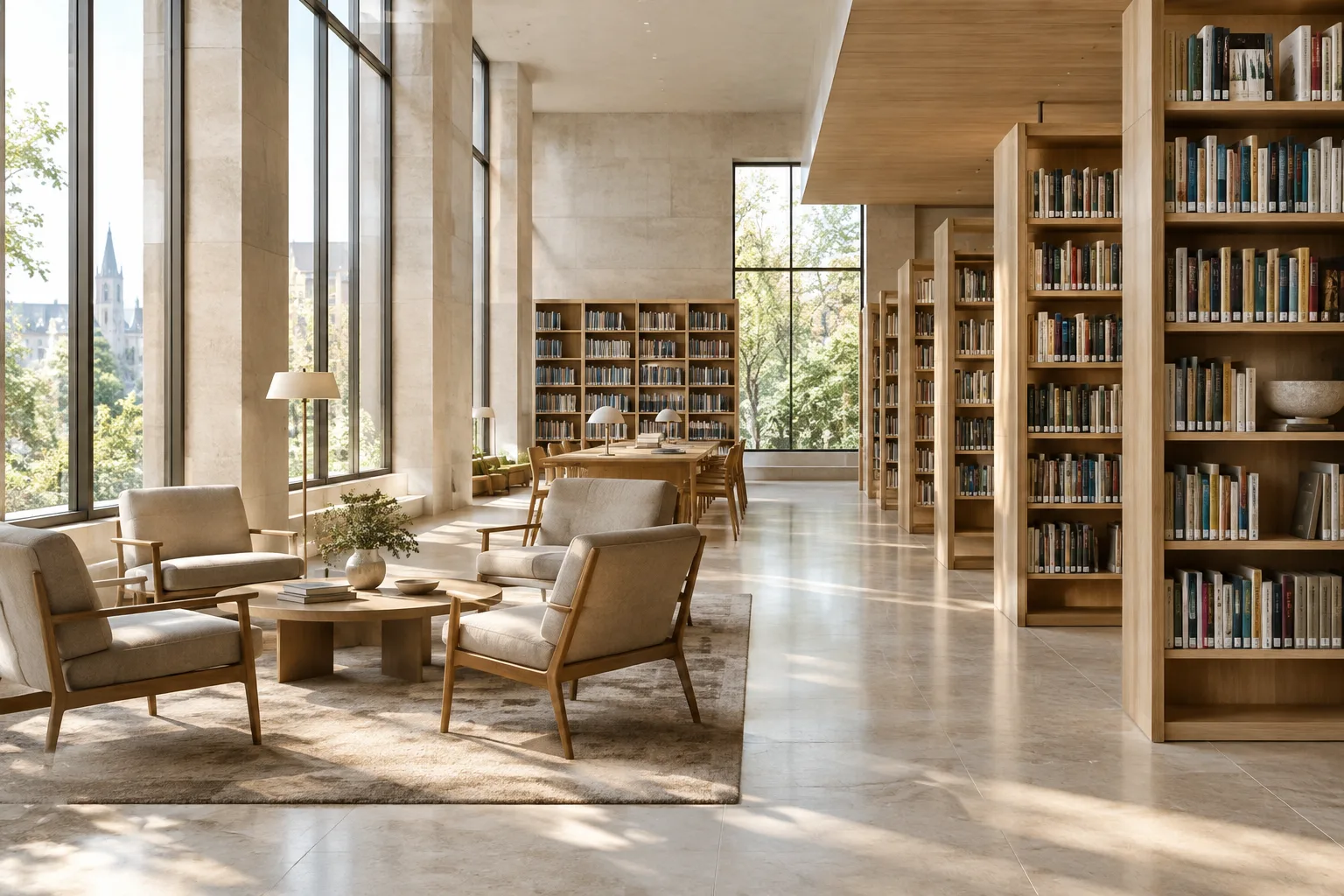
Describe the space and framing. The example below is designed to request an interior concept image from scratch. It specifies the materials, lighting, and framing without assuming any particular product or real project details.
Create a photorealistic architectural visualization of a calm contemporary library reading room, with pale oak shelving, warm limestone surfaces, soft daylight entering from tall windows, a few tables and chairs, and a clear eye-level wide-angle composition. Keep the space uncluttered and show realistic material textures and gentle shadows.This prompt brings together the type of space, surface character, lighting, and viewpoint in a single description. If the composition works in the first result, focus subsequent turns only on the elements that need changing—for example, softening the light or simplifying the seating area.
Refine the result in small steps. Nano Banana 2.1 is described as supporting conversational editing and multi-turn consistency. So instead of rewriting the entire description after the first image, it can be useful to specify what should stay the same and request one change. For example, you could keep the same spatial concept while changing the wall color. The developer says multi-turn consistency has been improved, but you should still compare and review the results.
Edit using a reference image. If you have a draft, an existing interior photo, or another image you have the right to work with, send it along with a text prompt. According to the documentation, text and an image can be supplied in the same request to add, remove, or change an element, or to adjust the style and color scheme. Treat the example below as an editing request to use with a reference image.
Using the supplied interior image as the reference, preserve the room layout, camera position, windows, and furniture placement. Change only the floor finish to a light natural oak, keep the existing daylight direction, and render the result as a realistic architectural visualization.The key is to state which features should be preserved and what should change. Using this text without including the image in the request will not edit the source image; the example is intended for use with a reference image sent alongside the text.
Compare alternatives. For design exploration, generate different material or mood options using separate prompts rather than relying on a single result. Changing as few variables as possible in each iteration makes it easier to see which parts of the description affected the results. Image generation is not proof of correct material performance or feasibility; validate suggestions against project requirements and professional judgment.
Common mistakes and things to keep in mind
Vague requests: General phrases such as “make a better interior” do not explain what needs to change. Specify the type of space, materials, lighting, and framing.
Requesting multiple changes at once: Changing the layout, colors, furniture, and lighting in one go can make the result difficult to evaluate. Focus on one change first.
Not specifying what to preserve: When working with a reference image, explicitly state in the prompt if the floor plan, camera position, or furniture needs to remain unchanged.
Confusing the result with technical accuracy: A generated image should not be treated as validation of dimensions or building systems. The sources do not guarantee architectural technical accuracy for this model.
Overlooking image rights: Check that you have the right to use uploaded images and follow the service’s rules on prohibited uses.
Impact on architecture, interior design, and archviz workflows
Nano Banana 2.1 can be explored by architects researching atmosphere in the concept phase, interior designers discussing different surface options visually, and visualization teams preparing initial presentation alternatives. Text-based generation supports visual ideation, while editing with an image enables specific elements in an existing image to be changed. API access also provides an option for technical teams looking to connect prompts to applications.
However, the available sources do not include information on pricing, detailed licensing terms, local hardware requirements, or direct compatibility with particular 3D software. Teams should therefore evaluate API access, costs, and the intended use of generated images within a project before incorporating the tool into their workflow. According to Google’s documentation, images include a SynthID watermark; keep this in mind for delivery or publication.
Next steps
Start with a single concept prompt, then compare it with an approach that edits the same idea using a reference image. When choosing between results, note the prompt text and which image was used as the reference. Check accuracy, rights, and terms of use before using an image for production, presentations, or client communications. For teams working with code through the API, the guides include Python, JavaScript, Java, Go, and REST examples; the image output can be retrieved from the output_image data in the API response.
Sources and license
This guide has been adapted into Turkish based on information in Google’s Gemini API image generation and editing guide and the general Gemini API documentation. Both sources are licensed under CC BY 4.0. The sample prompts were written specifically for architectural and interior design use.
Sources
2 sourcesSource texts are not republished; short quotes are marked, everything else is our own summary and commentary.
For architecture firms and visualization teams, the most practical aspect of Nano Banana 2.1 is the ability to try idea generation and editing an existing image within the same API workflow. This can be useful, especially for quickly discussing concept alternatives; however, the resulting image should not be treated as technical validation or a basis for implementation decisions.
For teams in Turkey, it makes sense to first clarify API access and costs with a small-scale test. The sources do not specify pricing or local hardware requirements, and images include a SynthID watermark. For this reason, teams should not rush to add the tool to their standard workflow before evaluating budgets, usage rights, and delivery processes.
Frequently asked questions
Can you edit an existing interior image with Nano Banana 2.1?
Yes. According to the Gemini API documentation, you can provide an image along with a text prompt to add, remove, or change elements, or adjust the style and colors.
What API model ID is used to call Nano Banana 2.1?
The Gemini API image generation guide lists the model ID as `gemini-nano-banana-2.1`.
Do images generated with Nano Banana 2.1 include a watermark?
According to Google’s image generation documentation, all generated images include a SynthID watermark.