In brief
- The Sky Atmosphere component creates the appearance of the sky based on light scattering in the atmosphere.
- To use the component, add a Directional Light to the scene and enable the light’s Atmosphere Sun Light property.
- Rayleigh scattering is associated with small particles, while Mie scattering is associated with larger particles such as dust and pollen.
- Sky Atmosphere provides its own atmospheric fog effect; additional settings are needed to use it with Exponential Height Fog.
What you’ll learn in this guide
This guide walks you through adding the Sky Atmosphere component to a scene in Unreal Engine and linking it to sunlight. You’ll then learn how Rayleigh and Mie scattering affect the sky’s color and clarity, how atmospheric fog is handled, and how to apply these settings to architectural visualization work.
Sky Atmosphere is a physically based way to create a sky and atmosphere. It can show changes in light throughout the day, including sunrise and sunset, in an Earth-like atmosphere. It can also be used to create more unusual atmospheric looks. The steps below take you from placing the core components in the scene to fine-tuning the result.
Requirements
You’ll need a project and scene open in Unreal Engine’s Level Editor. The documentation does not specify a particular Unreal Engine version or require a user account, so check compatibility with your project and version before proceeding.
You’ll add Sky Atmosphere, Directional Light, and Sky Light components to the scene. Directional Light represents light from a distant source, such as the sun; the shadows it casts are parallel. Sky Light can capture the Sky Atmosphere appearance and contribute to the scene’s lighting.
Setup and configuration
Add the Sky Atmosphere component. Add Sky Atmosphere to the scene from the Place Actors panel in the Level Editor. This is the starting point for adjusting the atmosphere’s core properties and the appearance of the sky.
Add a Directional Light and enable its atmospheric interaction. Place a Directional Light in the scene. In the light’s Details panel, enable Atmosphere Sun Light. This lets the light interact with the atmosphere and creates the sun disk in the rendered sky.
Use Sky Light to support scene lighting. Add a Sky Light to the scene so the Sky Atmosphere appearance can contribute to the lighting. As you change the direction of the sunlight, review the atmospheric appearance and its effect on the scene together.
Set the indices if you’re using multiple atmospheric lights. Unreal Engine supports two atmospheric lights at a time. Set the Atmosphere Sun Light Index for each Directional Light; for example, you can use 0 for the primary light and 1 for the secondary light. This setup can represent the sun and moon, or two suns. You can also use the documented shortcuts to adjust the light positions: Right Ctrl + L with mouse movement adjusts the light with index 0; Right Ctrl + L + Shift adjusts the light with index 1.
Fine-tune the sky color with Rayleigh scattering. Rayleigh scattering represents the interaction of light with small particles in the atmosphere. It plays a role in the sky’s color changes throughout the day: it explains the blue tones in daylight and the more prominent yellow, orange, and red tones toward sunset. Adjust Rayleigh Scattering Scale to see how much light is scattered in the atmosphere. Comparing results with the light in the same position makes it easier to distinguish the visual impact of the setting.
Adjust haze and the glow around the light with Mie scattering. Mie scattering is associated with larger particles, such as dust, pollen, or air pollution. As Mie scattering increases, the sky can look more overcast and hazy, and a bright halo may form around the light source. Mie Anisotropy controls how directional the scattering is within the atmosphere. Consider the Mie settings and the sun’s position together, based on the look you want.
Adjust the atmosphere’s height and appearance to suit the scene. Ground Radius sets the planet’s size, while Atmospheric Height sets the height of the atmosphere used in light interaction calculations. Rayleigh Exponential Distribution and Mie Exponential Distribution define how the corresponding scattering effects diminish with altitude. Aerial Perspective View Distance Scale affects how thick distant surfaces appear through atmospheric perspective. First review the default appearance, then change settings one at a time to see which property affects the result.
Common issues and using fog
The atmosphere component can create a height fog effect through its own Mie scattering. That means you don’t need to add Exponential Height Fog separately in every scene. If you need to use both systems, enable Support Sky Atmosphere Affecting Height Fog in the Rendering category under Project Settings. To use Sky Atmosphere’s effect on Exponential Height Fog, set Fog Inscattering Color and Directional Inscattering Color to black. Then adjust the amount of contribution with the Height Fog Contribution setting in Sky Atmosphere’s Art Direction section.
Another common issue is changing all the atmosphere parameters at once. This makes it harder to tell which setting caused a change in appearance. First verify the light’s position and its interaction with the atmosphere; then work through scattering, height, and fog settings in sequence. The Directional Light’s Mobility setting also affects how it works: Static lights can’t be changed during gameplay and allow baked lighting; Stationary lights bake some lighting components while leaving others dynamic; Movable lights offer more flexibility with dynamic shadows, but are described in the source as the slowest option.
Benefits for architectural and archviz workflows
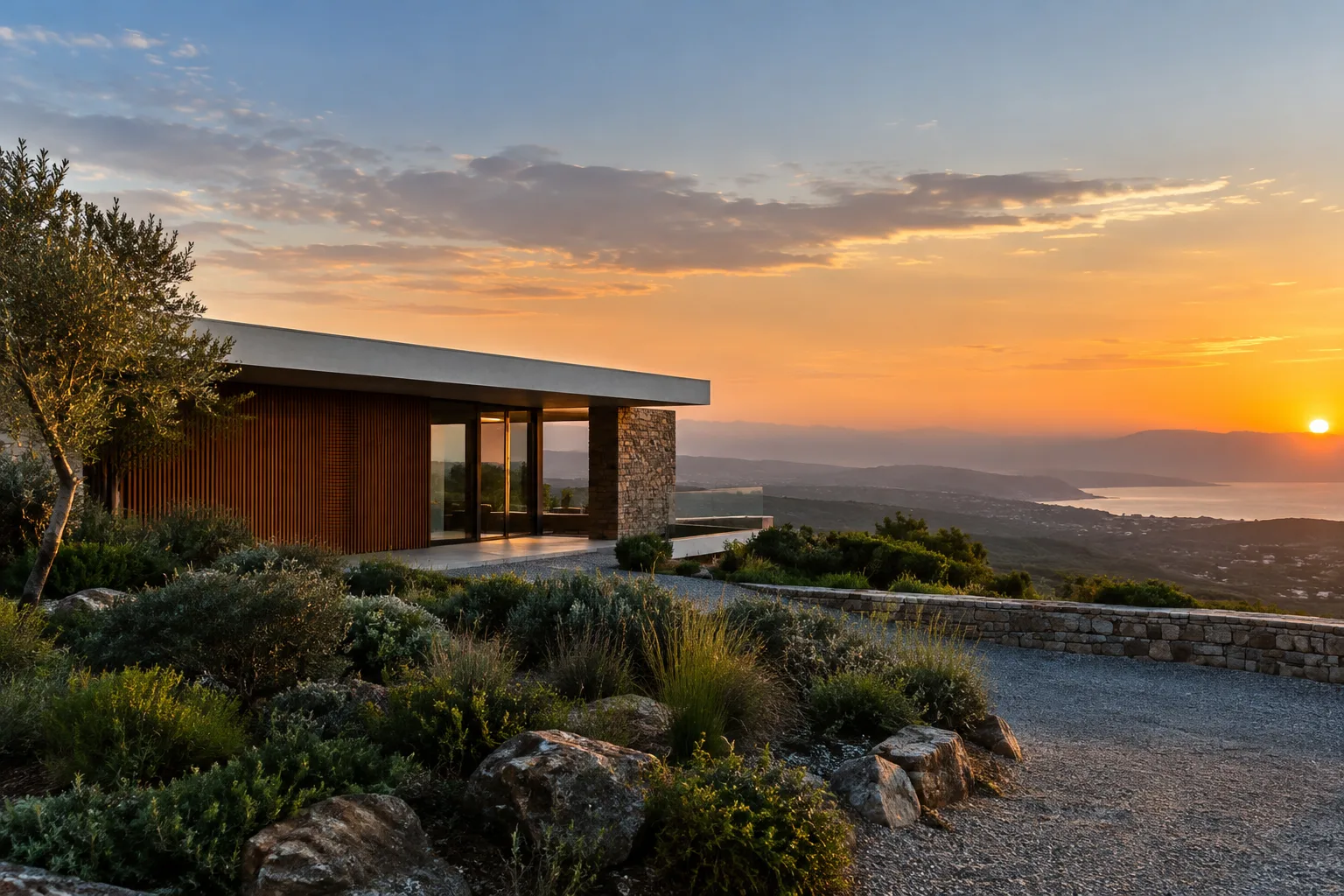
Sky Atmosphere helps bring together the sky, sun direction, and sense of distance in daylight exterior scenes. It can be used to review the same scene at different sun positions for residential surroundings, landscapes, or exterior presentations. Atmospheric perspective helps shape the relationship between distant surfaces and silhouettes and the sky; Mie scattering can be useful in scenes that call for a hazy look.
The sources provide no specific information about hardware or licensing requirements, so no assumptions should be made about them. Instead, check compatibility with the project version you’re using and test the performance impact of the lighting options. The Directional Light documentation describes Static as the fastest method and Movable as the most flexible, but slowest in terms of lighting. Consider this difference when a scene doesn’t need moving lights or dynamic shadows.
Next steps
Once you’ve completed the basic setup, compare different sun positions and Rayleigh and Mie settings in the same scene. If you’re also using clouds, review the Directional Light options for interacting with them. If you need fog, first assess Sky Atmosphere’s own effect; add Exponential Height Fog only if the desired appearance and settings call for it. This helps you control the atmosphere for an architectural presentation while managing scene lighting more consistently.
Source and license
This guide has been adapted into Turkish from Epic Games’ freely licensed official documentation on the Sky Atmosphere component and Directional Light. Sources: “The Sky Atmosphere component in Unreal Engine” and “Directional Lights in Unreal Engine”.
Sources
2 sourcesSource texts are not republished; short quotes are marked, everything else is our own summary and commentary.
The practical value of Sky Atmosphere lies in letting you build the sky and transitions in lighting for an exterior scene as part of the scene’s lighting, rather than as a separate backdrop. It can be particularly useful for architecture firms and visualization artists when comparing daylight scenarios.
For teams in Turkey, it’s important not to base decisions on assumptions about hardware or licensing costs that aren’t covered by these sources. A sounder approach is to first test compatibility with the Unreal Engine project in use and the performance impact of the light mobility options, then use dynamic lighting and fog as needed for the scene.
Frequently asked questions
How do you enable Sky Atmosphere in Unreal Engine?
Add Sky Atmosphere and Directional Light from the Place Actors panel in the Level Editor. In the Directional Light’s Details panel, enable Atmosphere Sun Light; you can also add Sky Light to contribute to the lighting.
Can Sky Atmosphere be used with Exponential Height Fog?
Yes. Enable Support Sky Atmosphere Affecting Height Fog in the Rendering category under Project Settings. Fog Inscattering Color and Directional Inscattering Color can be set to black; adjust the amount of contribution with Height Fog Contribution.
What’s the difference between Rayleigh and Mie scattering?
Rayleigh scattering represents the interaction of light with small particles, while Mie scattering represents its interaction with larger particles such as dust and pollen. Mie scattering can make the sky look hazy and contribute to a halo around the light source.