In brief
- FLUX.1-schnell is described in the documentation as an option that benefits from fewer inference steps; the example uses 4 steps and a guidance_scale of 0.
- The documentation states that FLUX.1-dev needs around 50 inference steps to achieve good quality.
- Canny Control can guide image generation using edge conditioning, while Depth Control uses depth information.
- The Diffusers documentation notes that running FLUX can be expensive on consumer hardware and covers memory options such as CPU offloading and quantization.
The Hugging Face Diffusers documentation describes FLUX models for text-to-image generation and for editing images by conditioning them on existing visuals. This guide adapts the settings in the documentation to architectural concept work, interior atmospheres, and workflows based on reference images. Since the documentation does not specify a particular Diffusers version, the steps below are based on its FLUX examples; check whether they differ for your installation version.
1. Choose the right FLUX variant for the task
The FLUX family includes separate models for different tasks. FLUX.1-schnell is a timestep-distilled model, while FLUX.1-dev is guidance-distilled. The documentation also lists Fill, Canny Control, Depth Control, Redux, and Kontext. If you only need an atmospheric image from a text description, start with Schnell or dev; if you want to follow a specific line or depth layout, consider Canny or Depth.
For Schnell, max_sequence_length must be no higher than 256, and guidance_scale must be set to 0. The documentation’s example uses 4 inference steps to produce an image at 768 × 1360 pixels. The dev variant is reported to need around 50 steps for good-quality generation; it has no equivalent limit for max_sequence_length. These are example settings from the documentation, so you should test quality and generation time for each project.
2. Generate an initial concept from a text prompt
For a first attempt, describe the scene’s main elements and atmosphere clearly and concisely. In architectural work, for example, the type of space, material feel, and character of the light can all be part of the prompt. These are practical suggestions for prompt writing; the Diffusers documentation does not require a particular architectural prompt template.
The example below is based on the documented use of FLUX.1-schnell. Adjust the text in the prompt field to suit your scene. enable_model_cpu_offload() appears in the documentation’s example and uses the option to offload the model through the CPU.
import torch
from diffusers import FluxPipeline

pipe = FluxPipeline.from_pretrained(
    "black-forest-labs/FLUX.1-schnell",
    dtype=torch.bfloat16
)
pipe.enable_model_cpu_offload()

image = pipe(
    prompt="A calm contemporary interior with natural materials and soft daylight",
    guidance_scale=0.0,
    height=768,
    width=1360,
    num_inference_steps=4,
    max_sequence_length=256,
).images[0]
The dimensions and step count in this example match the source documentation’s Schnell example; the prompt is included only as an illustrative description. When assessing the result, look not only at visual appeal but also at whether the basic spatial layout has been preserved. If you want to try the dev model for greater detail, keep in mind that a generation using around 50 steps may take longer.
3. Guide the sense of geometry with Canny or Depth
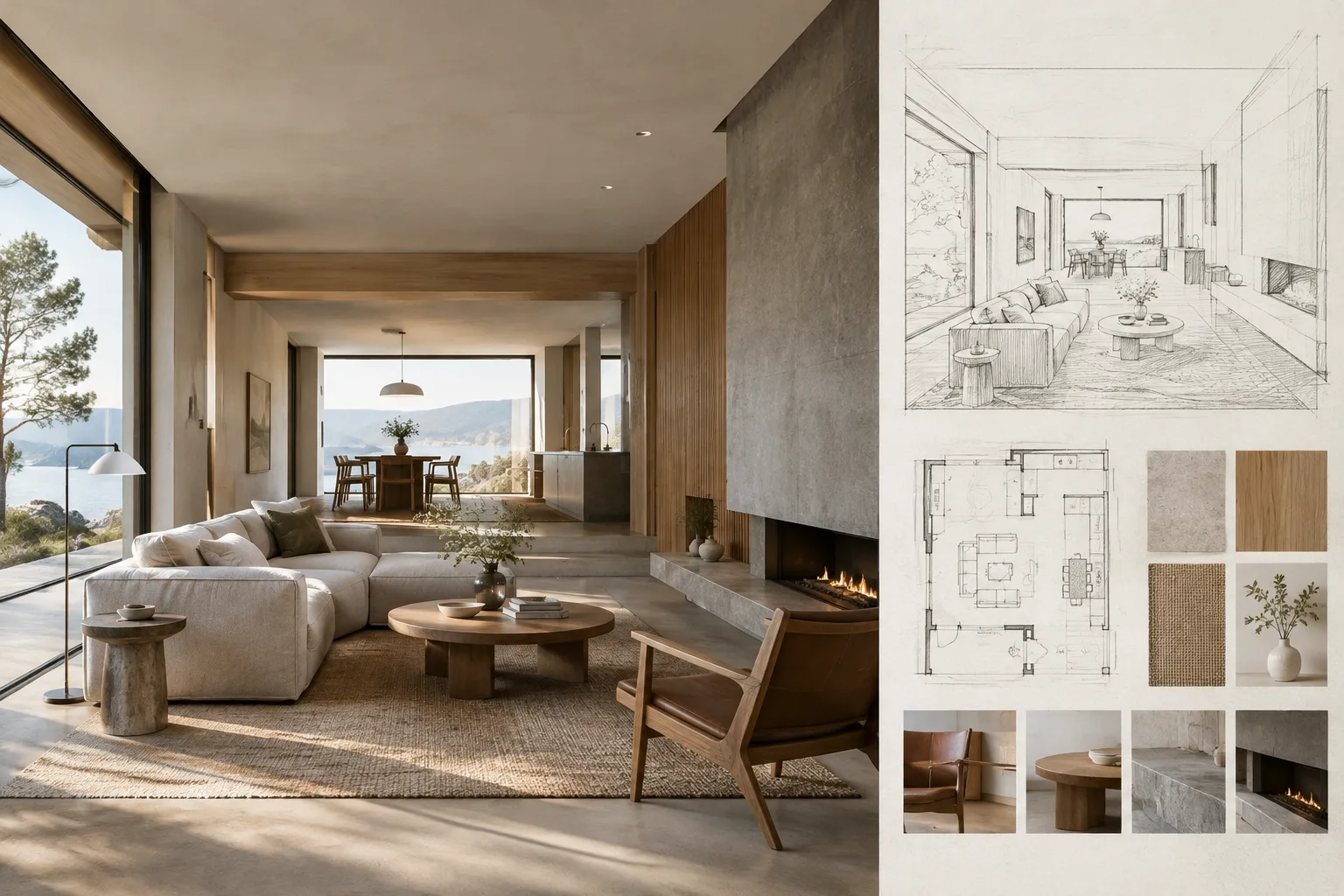
If a text prompt does not preserve the form of an existing sketch or spatial layout clearly enough, you can use a conditioning image. Canny Control works with edge information; the Diffusers documentation says the method is designed to closely follow the structural condition. The documentation gives example values of 50 for the low threshold, 200 for the high threshold, and 1024 for both detection and image resolution in Canny preprocessing. Its generation example uses a 1024 × 1024 output, 50 steps, and a guidance_scale of 30.0.
Depth Control uses a visual condition produced by a depth preprocessor. The documentation’s example uses a 1024 × 1024 output, 30 steps, and a guidance_scale of 10.0. When experimenting with an interior sketch or massing study, consider Canny for emphasizing contours and Depth for emphasizing depth relationships. Treat these methods as ways to add conditions to generation, not as guarantees that the result will be completely fixed.
| Setting | Recommended value | Effect |
|---|---|---|
Schnell guidance_scale | 0 | Required by the documented Schnell example |
Schnell max_sequence_length | 256 maximum | Documented upper limit for Schnell |
| Schnell example step count | 4 | The documentation’s 768 × 1360 example |
| Dev example step count | Around 50 | Approximate value given in the documentation for good quality |
| Canny thresholds | 50 / 200 | Low/high threshold example given in the documentation for Canny preprocessing |
| Depth example step count | 30 | The documentation’s Depth Control example |
4. Consider Fill, Redux, or Kontext for image editing
FLUX Fill supports replacing content within a masked area and outpainting beyond the image’s edges. According to the Diffusers documentation, this pipeline does not require the strength input used by standard inpainting pipelines. This may suit workflows where you need to change a specific area of an interior image or extend the frame; preparing the mask and source image is still up to the user.
Redux is described as an adapter that works with FLUX.1 base models and supports FLUX.1-dev and FLUX.1-schnell for image-to-image generation. Kontext is designed for uses such as editing an existing image, refining it, relighting, and style transfer. The documentation also says to run the integrity safety checker provided with the documentation after Kontext generation. So when editing, it is important to include control and safety steps in your workflow as well as choosing the right pipeline.
5. Plan for hardware and reproducibility
The Diffusers documentation says that running FLUX can be expensive on consumer hardware, while optimizations can help with speed or memory efficiency. It also notes that quantization can improve memory efficiency but may trade off against inference latency. For this reason, it is sensible for offices to first run small tests with the target resolution and model variant, then assess hardware and time requirements. The documentation does not specify a particular graphics card requirement or price.
The general Diffusers image-generation documentation explains that setting a seed with torch.Generator helps reproduce the same result. This can be useful when comparing prompts or other settings for a concept presentation. However, these sources do not guarantee that different FLUX pipelines will produce the same result under all conditions.
Common mistakes
Setting
guidance_scaleto something other than 0 for Schnell, or settingmax_sequence_lengthabove 256.Treating Schnell’s 4-step example as a setting for the dev model; the documentation describes separate requirements for the two variants.
Assuming that using a Canny or Depth conditioning image will lock the output precisely in every detail.
Thinking of quantization only as a memory saving; the documentation explicitly notes the latency trade-off as well.
Sources
2 sourcesSource texts are not republished; short quotes are marked, everything else is our own summary and commentary.
For architecture and visualization offices in Turkey, the practical value lies in being able to test concept images at different levels of control: a quick start from text, followed by sketch-like conditioning or editing selected areas. Options such as Canny and Depth can make it easier to bring an existing spatial reference into the workflow; however, you should not assume that the results will preserve project geometry perfectly.
On the hardware side, the sources particularly emphasize that FLUX can be expensive to run on consumer hardware and that there is a trade-off between memory efficiency and inference latency. Offices should first run short tests on their own scenes and assess speed, memory, and visual consistency together. Since these documents do not explain licensing or commercial-use terms, check the relevant model terms separately before production use.
Frequently asked questions
What settings should I use for FLUX.1-schnell?
The Diffusers documentation says to set `guidance_scale` to 0 and keep `max_sequence_length` at or below 256. Its example uses 4 inference steps.
How can I control the structure of a sketch with FLUX?
Canny Control uses edge conditioning, while Depth Control uses depth conditioning. The documentation describes both as options for adding conditions to FLUX image generation.
What graphics card do I need to run FLUX?
The source documentation does not specify a particular graphics card requirement. It notes that FLUX can be expensive to run on consumer hardware and that optimization options are available for more memory-efficient execution.