In brief
- UnrollSrf flattens developable surfaces that curve in one direction.
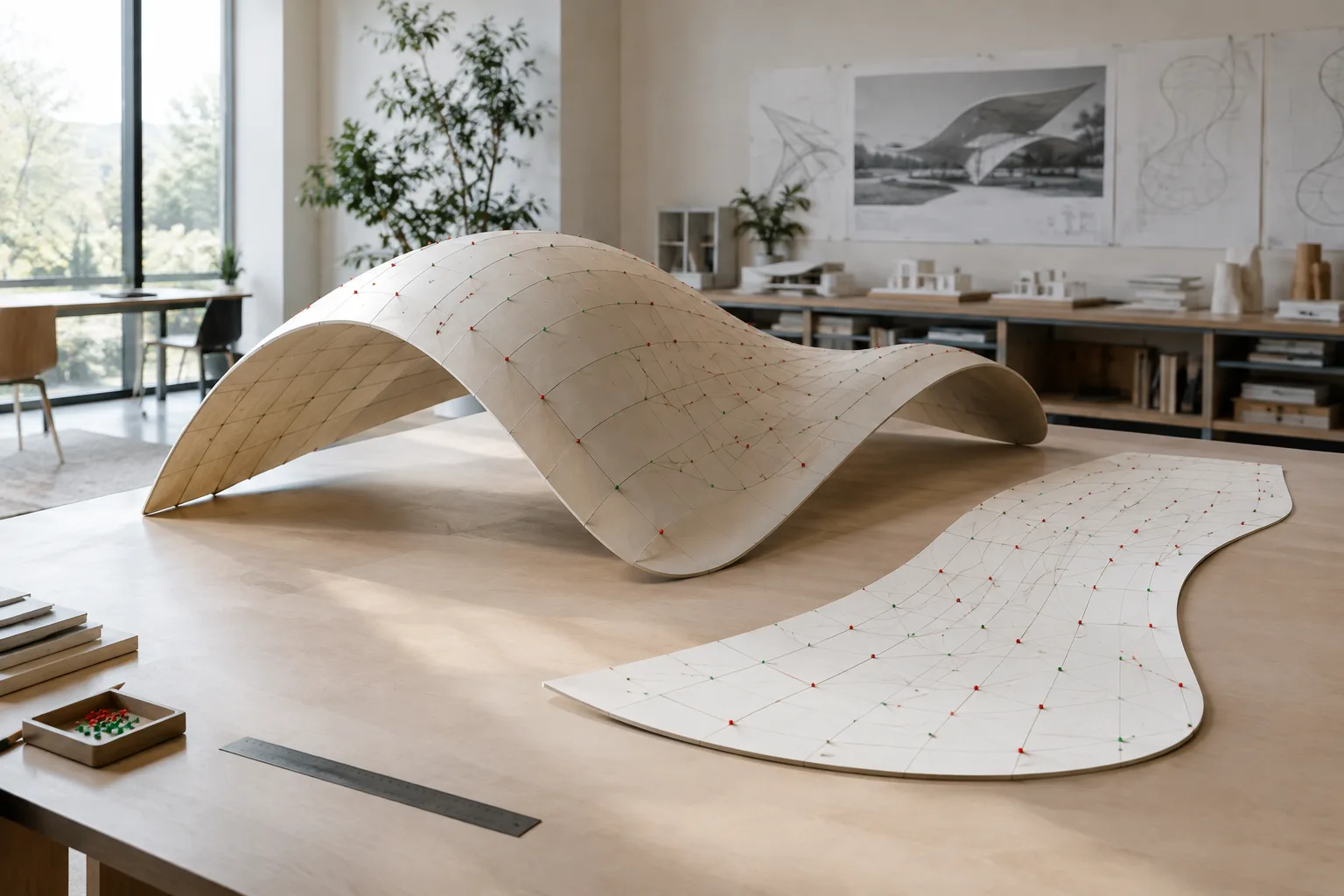
- Squish creates an approximate 2D flattening for meshes or NURBS surfaces with double curvature.
- Squish displays compressed areas as red point clouds and stretched areas as green point clouds.
- Rhino’s documentation warns that a Squish result should not be treated on its own as a definitive production pattern.
Rhino 8’s surface-flattening tools offer two approaches for designers who want to create a 2D pattern from a 3D model. According to McNeel’s official documentation, UnrollSrf flattens developable surfaces that curve in one direction, while Squish converts meshes or NURBS surfaces with double curvature into an approximate 2D pattern. Choosing the right command means taking into account the surface geometry and the behavior of the material used in production.
1. First, determine whether the surface is developable
Developable surfaces are surfaces that can be formed by rolling a flat sheet without stretching, tearing, or wrinkling it. Cylinders and cones are examples. UnrollSrf is used to flatten this type of surface; Rhino 8 documentation states that the command is intended for surfaces or polysurfaces with curvature in one direction.
Shapes with curvature in two directions, such as spheres and tori, cannot be flattened mathematically without stretching or shrinking. Gaussian curvature analysis in Rhino can help identify areas with double curvature. The documentation also explains that the Curvature command displays one arc and a line on developable surfaces, and two arcs on surfaces with double curvature.
Steps:
Examine the curvature of the surface to be flattened and determine whether it curves in one direction or two.
For developable surfaces, use the UnrollSrf command via
Surface Tools › Surface Flattening › Unroll Developable Surface.For surfaces with double curvature, create an approximate flattening with Squish; do not treat the result as a definitive, production-ready pattern.
2. Flatten developable surfaces with UnrollSrf
UnrollSrf converts a surface or polysurface into a planar surface. Curves, text dots, or points on the surface can also be selected while running the command. If a trimmed polysurface cannot be unrolled, the documentation recommends removing the trim curves, unrolling them along with the surface, and then using those curves to retrim the flattened surface.
The command’s options determine how the resulting geometry is handled. Explode controls whether the flattened pieces remain joined, while Labels controls whether numbered dots are displayed on matching edges. KeepProperties controls whether the source object’s properties are copied to the new object. UnjoinEdge can be used to determine which edges of a polysurface are split.
RelativeTolerance is the tolerance used to decide whether a direction is considered linear when LinearDirection=Natural. The documentation notes that smaller values are stricter, while a value of 1.0 allows many free-form surfaces to be flattened. This option has no effect when the U or V direction is selected. On a developable surface such as a cylinder, choosing the wrong LinearDirection can cause distortion and an area-loss warning.
| Setting | Value or option given in the documentation | Effect |
|---|---|---|
| RelativeTolerance | A value of 1.0 allows many free-form surfaces to be flattened | Affects the linearity assessment for the Natural direction; a smaller value is stricter |
| LinearDirection | Natural, U, or V | Determines the direction of the isoparametric curves treated as straight |
| Explode | Yes or No | Determines whether the flattened surfaces remain separate or are joined |
3. Use Squish for surfaces with double curvature
In Rhino 8, Squish converts meshes or NURBS surfaces that curve in two directions into a 2D pattern. The menu path is Surface Tools › Surface Flattening › Squish Double-Curved Surface. The command works by attempting to limit changes in the area and edge lengths of mesh faces. Trimmed NURBS surfaces are also processed through a dense mesh.
In a Squish result, compressed areas are shown as red point clouds, and stretched areas as green point clouds. The statistics report changes in area and the expected amount of compression or stretching when the surface is flattened and then returned to three dimensions. The locations of the most pronounced deformations can be marked with up to ten text dots; the number at each dot represents the percentage change in length.
The command’s Deformation options let you choose a preference for stretching or compression. Free does not prioritize either direction; StretchMostly and StretchOnly favor stretching, while CompressMostly and CompressOnly favor compression. The CustomA, CustomB, and CustomC options allow custom deformation settings. For these settings, the defaults for BndStretch, BndCompress, InteriorStretch, and InteriorCompress are 1; the documentation says these parameters can be set to any positive number. A larger value reduces the effect of the corresponding deformation.
Under the Material option, Rigid aims to reduce stresses that occur when the 2D pattern is returned to its three-dimensional form, while Floppy aims to limit geometric distortion as much as possible. These options should not be treated as physical simulations of real materials: McNeel cautions that the Squish algorithm is too simple to model the real behavior of most sheet materials.
4. What changes in architecture, interiors, and visualization workflows?
For architecture and interior design teams creating cutting patterns from curved cladding, panels, or surfaces, the first decision is whether the geometry can be flattened with UnrollSrf. UnrollSrf can be used on developable surfaces; for forms with double curvature, Squish can provide a starting point for evaluating the design’s flattening. Rhino’s documentation also mentions the Smash command for materials that can stretch to some degree, such as fabric; the results of the two main commands in this guide are not interchangeable.
Check area differences and deformation indicators in the flattened result, and do not overlook UnrollSrf’s area warning. Assess the PreserveBoundary option, which aims to preserve boundary lengths in Squish, and the material preferences according to your needs. However, if the material is expensive, cutting costs are high, or production tolerances are critical, treat the Squish output only as an initial concept and involve manufacturing expertise. The documentation explicitly emphasizes that a definitive production result should not rely on this algorithm alone.
Common mistakes
Assuming a surface with double curvature, such as a sphere, can be accurately flattened with UnrollSrf.
Treating the creation of a flattened result as proof that there are no differences in area or length.
Interpreting Squish’s stretch and compression reports as a definitive account of a real material’s physical behavior.
Using a production-critical flattened result without assessing the actual material and manufacturing process.
UnrollSrf and Squish address different geometric conditions. Analyzing the surface before choosing a command and checking the results in the context of production reduces the risk of relying on an inaccurate flattening.
Sources
2 sourcesSource texts are not republished; short quotes are marked, everything else is our own summary and commentary.
For architecture and interior design offices in Turkey, the practical value of these tools is that they provide early feedback on how a complex surface can be flattened. Checking whether a surface is developable before making cladding or custom fabrication decisions can strengthen communication between design and manufacturing.
That said, it would be wrong to treat a Squish output as a production guarantee. Material properties, cutting costs, and workshop conditions can all affect the result; Rhino’s reports are no substitute for physical testing or manufacturing expertise. Offices should choose commands based on geometry and production needs rather than hardware, and incorporate area differences and deformation warnings into their workflow.
Frequently asked questions
How do you flatten a surface with double curvature in Rhino 8?
Squish can be used for meshes or NURBS surfaces with curvature in two directions. The result is an approximate flattening, and its suitability for production should be assessed separately.
Which surfaces is UnrollSrf used for?
UnrollSrf flattens developable surfaces that curve in one direction. Surfaces with double curvature, such as spheres and tori, cannot be accurately flattened with this command.
What do the colored dots in Squish indicate?
Red point clouds show compressed areas, while green point clouds show stretched areas. Values at text dots indicate the percentage change in length.