In brief
- Lumen is enabled by default in new projects, but is not automatically enabled in projects converted from Unreal Engine 4.
- You can enable Lumen separately for lighting and reflections in the corresponding categories under Project Settings.
- Increasing Final Gather Quality and reflection quality also increases GPU costs.
- Hardware ray tracing requires supported hardware and a compatible system; scene update costs can be high in some scenes.
As described in Unreal Engine’s official documentation, Lumen is used to generate dynamic global illumination and reflections in Unreal Engine 5 projects. The system is enabled by default in newly created projects, but is not automatically enabled in projects converted from Unreal Engine 4. To get the right results in architectural visualization and interior scenes, you need to consider quality settings, reflection methods and hardware costs together—not just turn Lumen on. Since the documentation does not specify a particular Unreal Engine minor version, the setting names below follow those shown in the official documentation.
1. Enable Lumen in your project
Go to Rendering under Project Settings. In the Dynamic Global Illumination category, set the method to Lumen; in Reflections, set the reflection method to Lumen as well. Since these options can be configured separately, you can enable indirect lighting only or reflections only.
Check that Generate Mesh Distance Fields is enabled, as it is required for Lumen’s software ray tracing mode. Enabling this feature requires restarting the engine. Generating mesh distance fields can increase build times, memory usage and the disk space occupied by static meshes, so account for these effects before changing the project setting.
When Lumen is enabled, precomputed static lighting contributions are disabled and lightmaps are hidden. When converting a scene that relies on existing static lighting, test not only the visual result but also the change in lighting method.
2. Balance interior lighting quality and cost
Lumen Global Illumination calculates indirect light bouncing off surfaces and color bleeding. For example, the color of a painted surface can bounce onto nearby surfaces, while geometry can block indirect light and contribute to shading. Since skylight is included in the Final Gather process, interiors may appear darker than exterior scenes. This can reflect the lighting conditions more naturally, but if an interior becomes too dark, carefully review the Lumen settings that affect skylight leaks.
The Global Illumination category in Post Process Volume is the main place to adjust quality settings for a scene. Increasing Final Gather Quality can reduce noise and improve global illumination quality, but it also raises GPU costs. Lumen Scene Detail can help represent smaller objects in the Lumen Scene, though this adds GPU load. Increasing Lumen Scene View Distance makes the system account for more distant areas, also at a performance cost. Rather than pushing every setting to its maximum, focus on the areas with visible issues and the desired image quality.
| Setting | Recommended value | Effect |
|---|---|---|
| Final Gather Quality | Increase as needed to address noise or quality requirements | Can improve quality and reduce noise, but raises GPU costs. |
| Lumen Scene Detail | Consider increasing if small objects are not visible | Represents smaller objects; increases GPU costs. |
| Lumen Scene View Distance | Set according to the required view distance | Covers more distant areas; raises GPU costs. |
| Scene Capture Cache Resolution | Documented default: 0.5 | A lower value saves memory but may reduce quality; adjust it in the Scene Capture component’s Post Process Settings. |
Also consider scene scale when setting Max Trace Distance: values that are too small can cause light leaks across large areas, while increasing the distance raises GPU costs. Emissive materials can emit light through Lumen’s Final Gather process. However, very small, bright emissive areas can create noise, so test them in the scene before using them.
3. Choose reflections for your scene
Lumen Reflections handles indirect reflections on materials with different roughness values. Increasing quality in the Reflections category of Post Process Volume can reduce reflection noise, but it also raises GPU load. The documentation lists 1 as the default value for Max Reflection Bounces, meaning a single reflection ray with no secondary reflection. Higher bounce counts can help prevent black areas on mirror-like surfaces, provided you have enough performance headroom.
First, assess whether the reflection system suits your project goals and target platform. Epic’s documentation lists Lumen Reflections for high-end desktop computers and next-generation consoles. Reflection Captures are a static, low-cost option; Screen Space Reflections can produce visual artifacts because they cannot reflect objects that are not visible on screen.
To use hardware ray tracing, enable Support Hardware Ray Tracing under Project Settings › Engine › Rendering › Hardware Ray Tracing. This feature requires Support Compute Skin Cache. The Use Hardware Ray Tracing when available option and the relevant reflection lighting mode are also important for switching Lumen to hardware ray tracing.
Surface Cache is the default Ray Lighting Mode and offers higher performance. Hit Lighting for Reflections calculates lighting at the point where the ray hits, which can improve reflection quality but significantly increases GPU costs. Hardware ray tracing can also incur substantial scene update costs in scenes containing more than 100,000 instances.
4. What should you consider in an architectural visualization workflow?
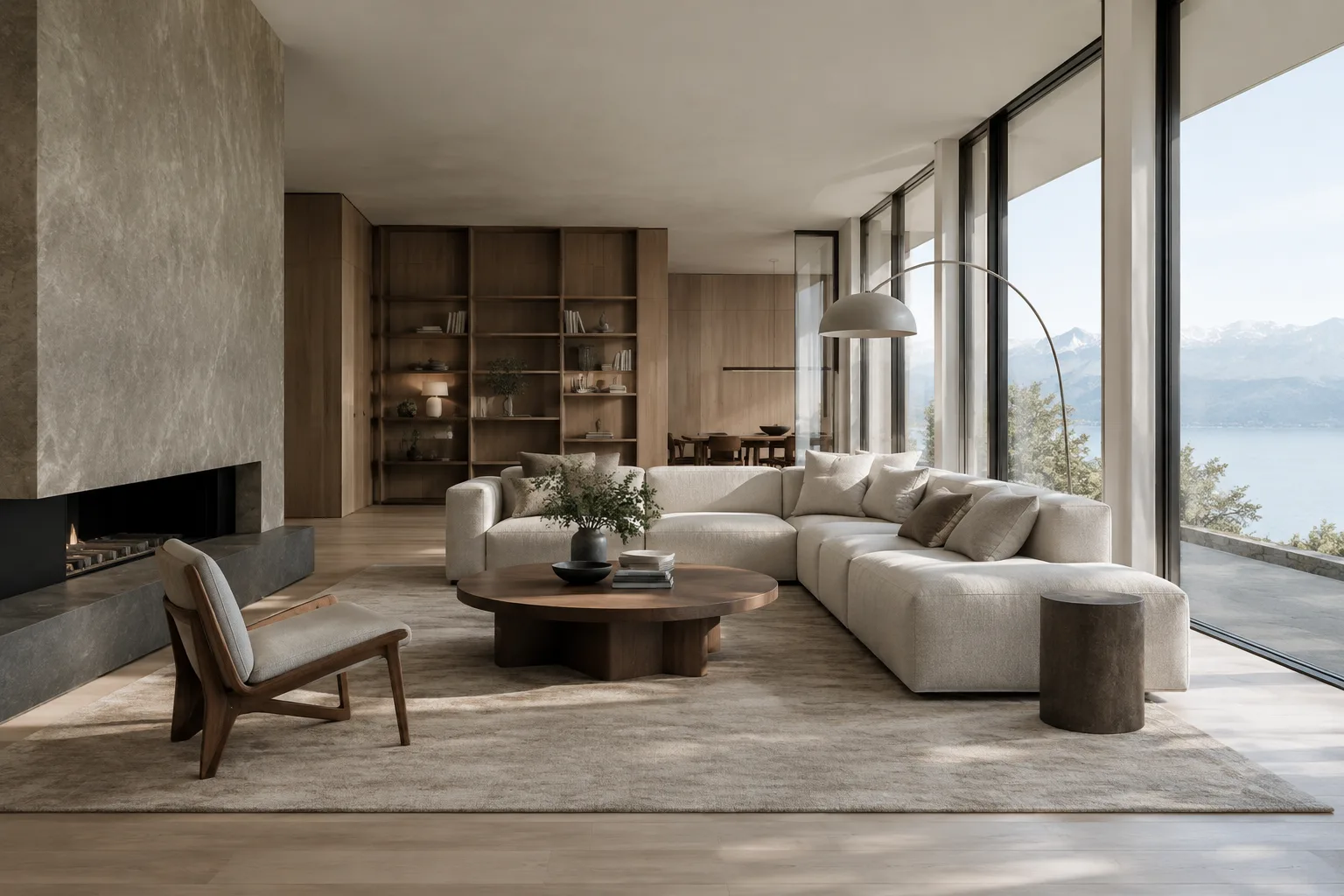
Interior designers and archviz teams can use Lumen to examine changing lighting conditions and indirect illumination in real time. Glossy floors, glass-like surfaces and mirrors make the effects of reflection settings easy to see, but hardware ray tracing and higher quality settings may not perform equally well on every computer. When sharing project files across a team, include the Lumen mode, ray tracing requirements and quality preferences in your test plan.
Common mistakes
Assuming Lumen is enabled automatically in a project converted from Unreal Engine 4.
Ignoring the increased GPU costs when raising Final Gather Quality or reflection quality.
Overlooking the effects of enabling Generate Mesh Distance Fields on build times, memory and disk space.
Enabling hardware ray tracing without checking that Support Compute Skin Cache is also enabled.
Forgetting that small, very bright emissive areas can create noise.
The best approach is to start with the scene’s basic Lumen settings, then increase quality only where the image needs it and measure performance again.
Sources
3 sourcesSource texts are not republished; short quotes are marked, everything else is our own summary and commentary.
For architecture firms and visualization teams in Turkey, Lumen’s practical value lies in being able to assess lighting and reflection decisions quickly within the scene. Seeing color bleeding, shading and surface reflections together can make design reviews easier, especially in interiors.
However, higher quality comes at a cost: higher Final Gather or reflection settings put more load on the GPU, while hardware ray tracing also requires a compatible system and Compute Skin Cache. Teams should test performance with their own scene complexity before delivery, and keep in mind that switching to Lumen changes how static lighting and lightmaps behave.
Frequently asked questions
How do you enable Lumen in Unreal Engine?
Under Rendering in Project Settings, set the Dynamic Global Illumination method and the Reflections method to Lumen. Generate Mesh Distance Fields may be required for Software Ray Tracing, and enabling this setting requires restarting the engine.
Why can Lumen produce noise or light leaks in interiors?
Final Gather quality affects noise, and very small, bright emissive areas can also cause noise. If Max Trace Distance is too small, light can leak across large areas.
How does hardware ray tracing affect Lumen performance?
Hit Lighting for Reflections can improve reflection quality, but it increases GPU costs. According to Epic’s documentation, hardware ray tracing can also have a significant scene update cost in scenes containing more than 100,000 instances.