In brief
- Poster Print can split images on a single image sheet into individual posters.
- Poster Print lets you adjust paper color, surface effects, and edge wear.
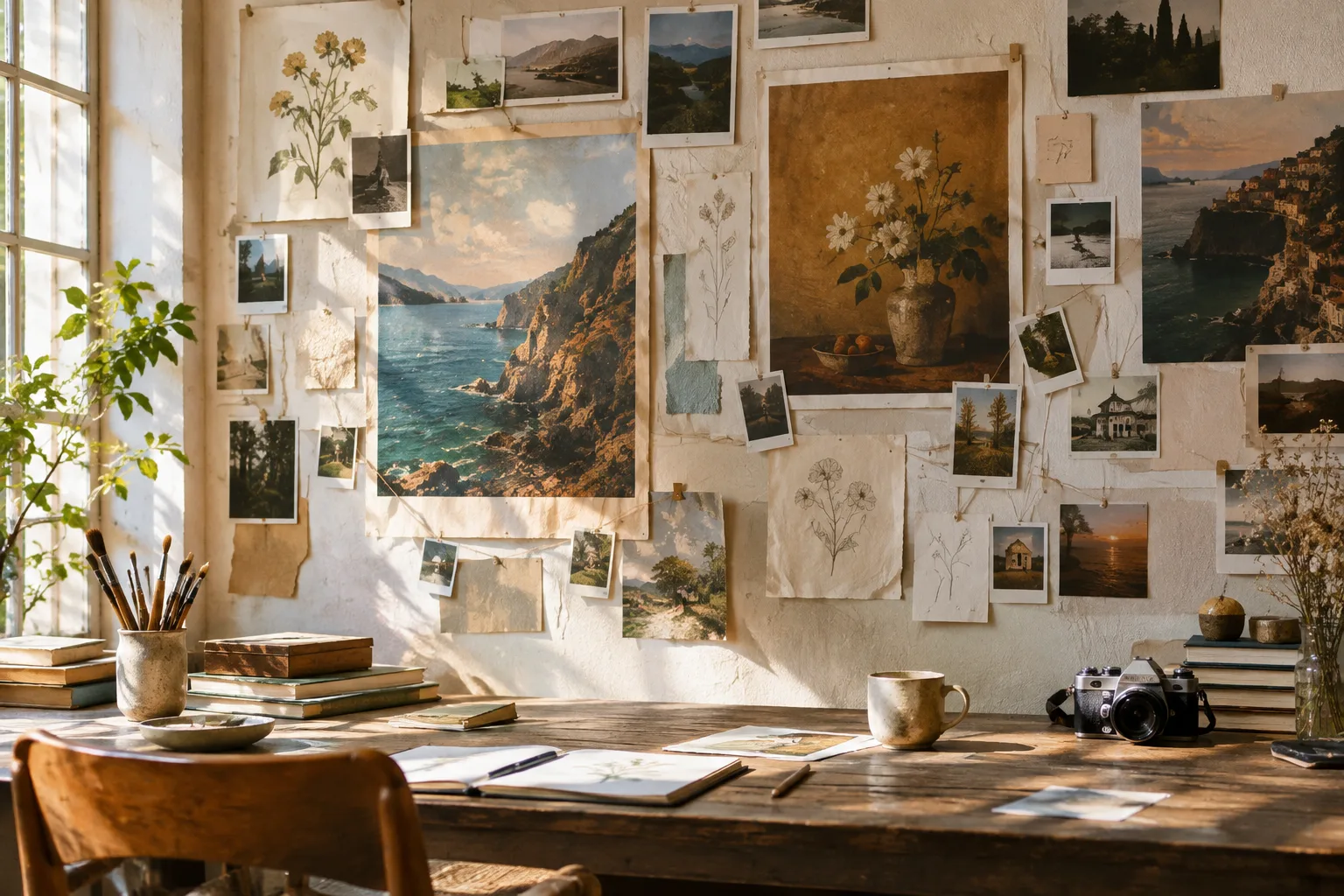
- Poster Pin lets you place posters, notes, Polaroids, and doodles on walls using tape, pins, or string.
- Posters prepared in Poster Print can be turned into a 4K texture atlas.
Blender artist G_ni has developed two add-ons, Poster Pin and Poster Print, for creating walls covered with posters, notes, and photos in 3D scenes. Introduced in an 80 Level article dated 22 October 2026, the tools aim to make it easier to organize visual assets and position them in a scene. The article does not specify the add-ons’ prices or Blender version compatibility.
Poster Print splits images into posters
Poster Print can take an image sheet containing multiple pictures and separate them into individual posters. You can then change the posters’ paper color, add different paper effects for a more realistic look, and apply wear to the edges. Once prepared, the posters can be converted into a 4K-resolution texture atlas.
These features offer a workflow for extracting and varying poster images from a single image sheet, rather than creating each image for a scene individually. However, the source provides no details on supported file formats, export options, or conditions for using the 4K atlas.
Poster Pin arranges items on walls
Poster Pin is designed to distribute posters, notes, Polaroid photos, and doodles across a wall in a scene. Images can be attached with tape, pins, or string. Users can adjust image size, how flat items sit against the surface, and the appearance of their shadows.
For a denser composition, smaller notes and photos can be scattered between larger images. In a photo arrangement hung from string, users can control both the string’s position and the placement of the images attached to it. This makes it possible to arrange multiple items on the same wall using different sizes and attachment methods.
Impact on architectural visualization workflows
Poster Pin and Poster Print may appeal to Blender users who want to create wall decor, particularly in interior visualizations. They could be used to add walls featuring posters and notes to scenes such as homes, workspaces, or creative studios. These are potential use cases based on the add-ons’ described functions; the source does not report tests for specific project types.
Poster Print’s ability to convert images into a 4K texture atlas offers an option for the texture-preparation stage. However, the source does not explain the atlas’s impact on memory usage or rendering performance. It also does not say whether the tools are paid, which Blender versions they support, or whether they are sold separately or together. Teams should therefore verify licensing and version compatibility before adding them to a production pipeline.
What’s known and what remains unclear
G_ni’s add-ons focus on editing the appearance and placement of images in a scene. Poster Print handles image extraction, paper appearance, and texture atlas creation, while Poster Pin offers controls for placement, attachment, and shadows. The source does not include download links, prices, release dates, or technical requirements. It mentions links to the developer’s ArtStation page and a YouTube feature overview, but provides no detailed licensing or compatibility information.
Sources
1 sourceSource texts are not republished; short quotes are marked, everything else is our own summary and commentary.
Adding posters and notes to a scene can make walls feel more personal and layered, particularly in close-up interior shots. The two add-ons complement each other: Poster Print focuses on preparing images, while Poster Pin handles their placement. For visualization teams using Blender, this division of tasks could help organize repetitive decor work.
However, offices and independent visualization artists in Turkey should confirm pricing, licensing terms, and Blender version support before deciding to buy. These details are not available in the source, and no data is provided on the 4K atlas’s impact on workstation performance. It would be sensible to test the add-ons in a small scene before using them in a production pipeline.
Frequently asked questions
What does the Blender Poster Print add-on do?
It can split pictures on an image sheet into individual posters. It also lets you adjust the posters’ paper color, surface effects, and edge wear, and convert the results into a 4K texture atlas.
What kinds of images can you place on a wall with Poster Pin?
Posters, notes, Polaroids, and doodles can be attached to a wall with tape, pins, or string. You can adjust image size, how flat items sit against the surface, and their shadows.
Have the prices and Blender compatibility of Poster Pin and Poster Print been announced?
The source article does not specify prices or Blender version compatibility.