In brief
- Nitro Retopo is designed to process dense meshes created through sculpting, 3D scanning, and AI generation.
- Users can define working areas on a surface using curves, straight lines, or freehand drawings.
- Adriflex says the tool can handle models with millions of triangles.
- The add-on is available for Blender 5.2 and later.
Nitro Retopo, developed by Adrien Rouquié, known online as Adriflex, is a Blender add-on for region-based editing and retopology of models with dense geometry. Covered in 80 Level’s 7 October 2026 article, the tool targets meshes created through sculpting, 3D scanning, and AI generation. It works with Blender 5.2 and later and is available via a purchase link.
Users define areas for editing by drawing directly on the surface. This makes it possible to divide a dense model into sections and edit those regions. The source does not provide pricing information.
Defining Work Areas with Surface Drawings
Users can create region boundaries with curves, straight lines, or freehand drawings. Sections can be separated from one another, openings in the mesh can be closed, and the boundaries of different parts can be joined. These steps are intended to make specific areas of a model easier to manage before retopology.
When creating new topology, users place vertices and can try different patch layouts and orientations. This keeps control over the shape of each section in the user’s hands rather than leaving the result entirely to automation. The workflow video featured in 80 Level’s article shows how to add cut lines to a surface, select a patch layout, repair openings, simplify the surface, and create a new mesh using UVs.
Triangle-Count Example and Limitations
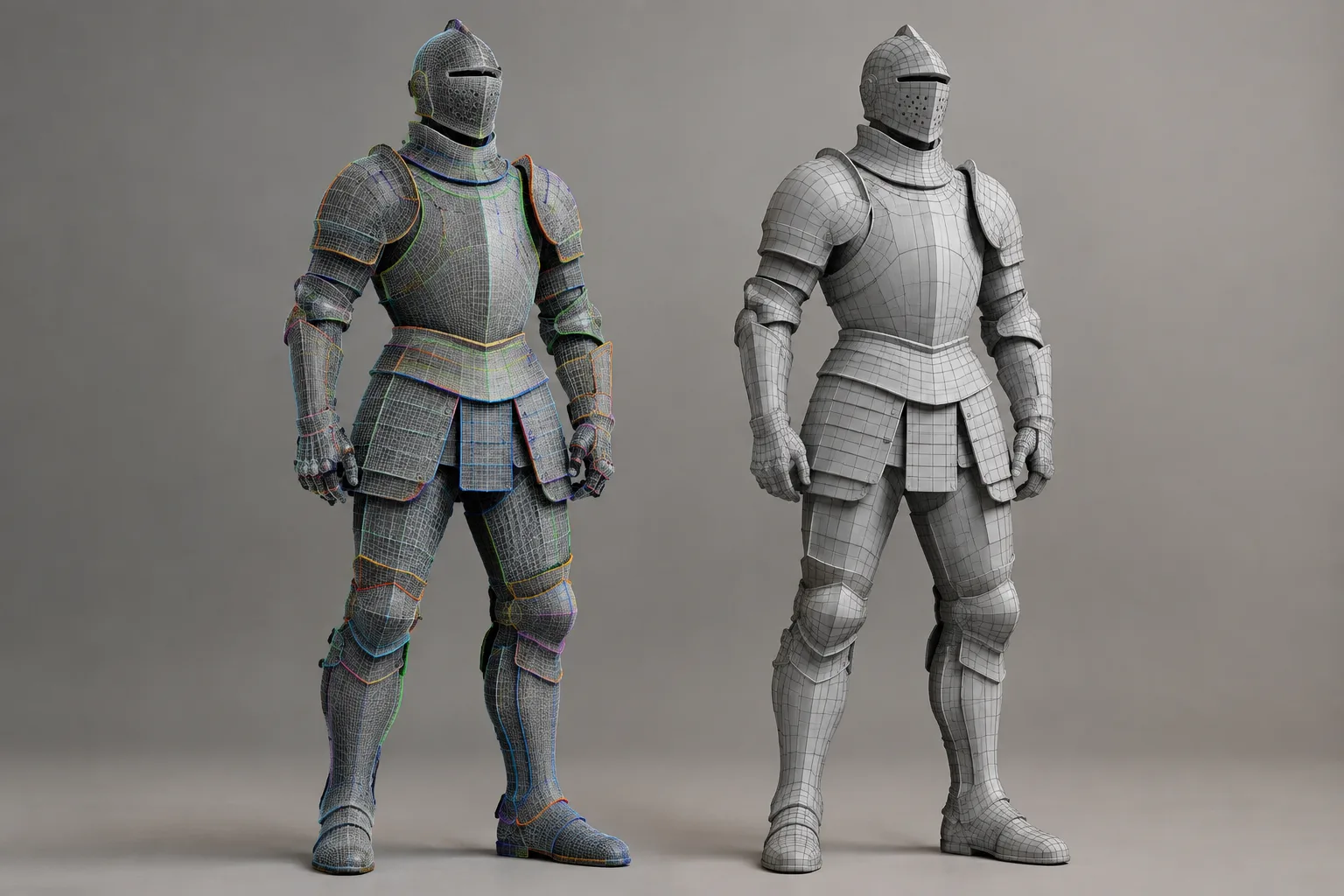
According to Adriflex, Nitro Retopo can work with models containing millions of triangles. In the knight demo featured in the article, a 1.5-million-triangle model is first reduced to a 91,000-triangle working mesh, followed by the creation of a new mesh with around 35,000 triangles.
These figures apply only to the demo model in question. The developer notes that results can vary from model to model, so the triangle-count reduction in this example does not guarantee the same outcome for every file. The source also provides no hardware requirements or performance benchmarks across different systems.
Impact on Architectural and Visualization Workflows
3D artists working with geometry from dense scans, sculpting, or AI generation may find the tool worth evaluating in their workflows. In architectural visualization, it could also be useful for editing specific areas of a dense asset intended for a scene and creating new topology in those areas. However, the source does not present a feature or test specifically for architectural projects, so results should be tested with the files being used.
The first compatibility check is the Blender version: Nitro Retopo requires 5.2 or later. Although the add-on is said to be available for purchase, no price is given. Hardware requirements are also unavailable, so teams working with dense models would be wise to test it on their own systems and check the current license terms before buying.
Sources
1 sourceSource texts are not republished; short quotes are marked, everything else is our own summary and commentary.
Nitro Retopo’s practical value lies in giving users room to intervene in specific regions, rather than simply trying to regenerate dense geometry automatically. This approach is worth exploring for visualization teams working with scanned, sculpted, or AI-generated models; however, the source includes no performance benchmarks comparing different files and systems.
For offices in Turkey, compatibility with Blender 5.2+ and results with real project files should be central to the decision. The lack of published pricing also means license costs need to be assessed before purchase. It’s best not to treat the triangle-count reduction in the demo as a general efficiency guarantee, and to test the tool in a limited workflow first.
Frequently asked questions
Which Blender versions does Nitro Retopo support?
The add-on is available for Blender 5.2 and later.
What kinds of models does Nitro Retopo target?
It targets dense meshes and models created through sculpting, 3D scanning, and AI generation.
Has Nitro Retopo’s price been announced?
The source article includes a purchase link but does not specify a price.