In brief
- The roadmap for Blender’s tablet project was published on 18 November 2026.
- The initial platform support goal includes basic desktop-compatible features such as opening and saving files.
- In the first phase, tablets will need to be used with a keyboard, mouse, or trackpad; full touch and stylus gestures will be addressed later.
- The team plans daily builds for tablet versions and regular distribution through app stores.
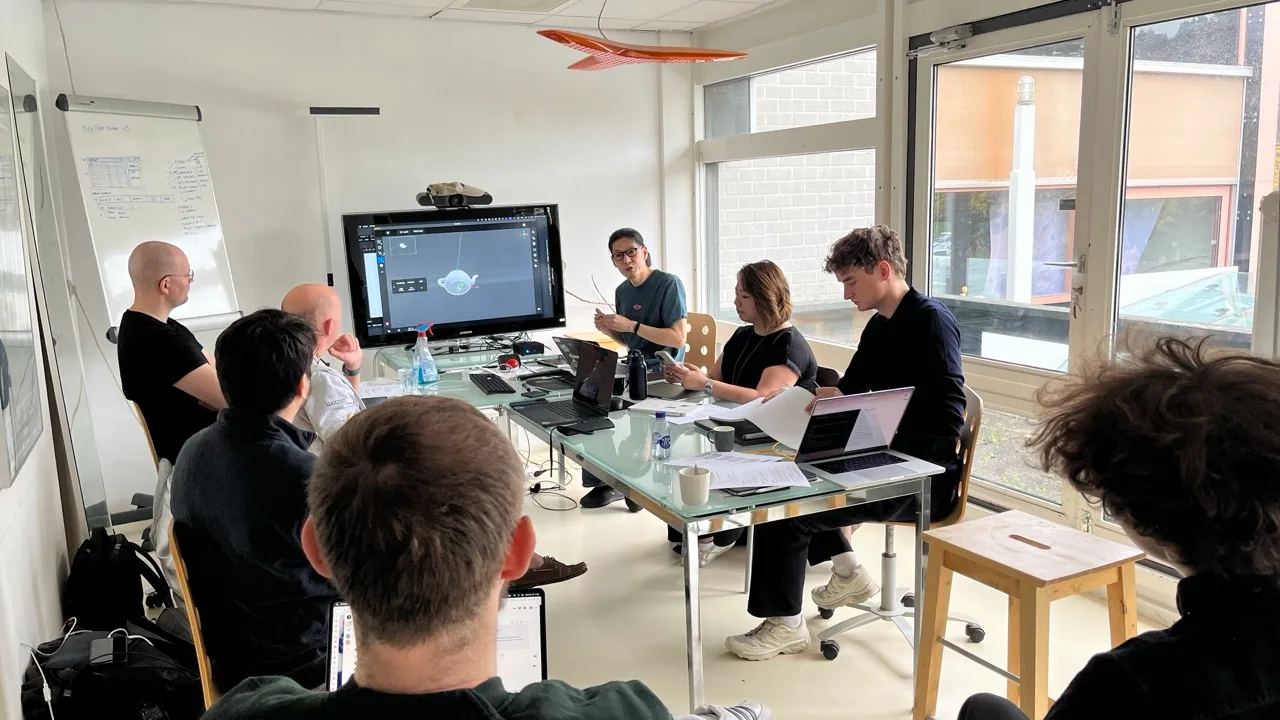
Blender developers shared their roadmap for preparing a tablet version for release on 18 November 2026. Announced after a week-long workshop held in Amsterdam in October, the plan sets out a phased development process spanning initial platform support, a touch interface, file transfers between tablets and desktops, and different production scenarios. The team does not say that every workflow will be ready in the first release; the goal is to publish as supported use cases are completed.
What features are planned for the first phase?
Work under “Initial Platform Support” aims to make creating tablet builds easier than it is today. Opening and saving files, online access, and compatibility with desktop Blender are among the goals. In this phase, users will need to connect a keyboard, mouse, or trackpad to use the tablet fully. Full touch and stylus gesture support are planned for later.
The developers plan to add tablet builds to the existing build infrastructure and produce daily releases. They also aim to distribute builds continuously through Google Play, the App Store, and other stores, subject to receiving store approval first. The Blender Foundation says it is aware of store restrictions related to the GPL license and will consider alternatives if necessary. Licensing is outside the scope of this workstream.
What will the touch interface look like?
Simply getting the existing desktop interface to run on tablets is not considered enough. The team is looking at improving stylus and touch input, making use of the operating system’s on-screen keyboard, and developing a more general search method in addition to context-sensitive search. Making commonly used operator options—confirm, cancel, and axis—available as on-screen touch controls is also a goal.
The “Compact UI” approach for smaller screens will put the viewport at the center of the work, with other editors and settings intended to be shown or hidden as needed. The team is also exploring grouping button clusters into popovers when screen space is limited, letting users choose the interface density, and ensuring touch targets are a comfortable size. Interface experiments for Wacom tablets and iPad have been shown, but these are not the final product; work is continuing on detailed mockups and prototypes.
Working with desktops and production workflows
The Blender team is also considering the need to move projects between a tablet and a workstation. The operating system’s cloud and sharing options may be enough for simple files, while complex projects with linked files and dependencies may require Blender-specific solutions. “Continue on device” is intended to move an entire file to another device so work can continue there; “Send to device” is intended to send part of a file along with its dependencies.
Priority scenarios include editing a file on the go, continuing desktop modeling on a tablet with sculpting and texture painting, building scenes with assets, and presenting a portfolio on a tablet. Sculpting, asset creation, and 2D storyboard work are also listed as use cases that will inform design decisions. These are workflows in the development plan, not features that are already available.
For architecture, interior design, and archviz teams, the practical takeaway is that the tablet will initially be an additional device used with connected input peripherals, rather than a fully touch-enabled production station. The planned workflows for transferring projects between desktop and tablet make the handling of scene dependencies an important consideration. Device compatibility and app store approvals are also worth watching. The team has not given a firm release date; some workspaces may not be optimized for tablets at first, but access to the desktop interface will remain.
Sources
1 sourceSource texts are not republished; short quotes are marked, everything else is our own summary and commentary.
For architecture and visualization teams in Turkey, the value of this roadmap lies not in immediately replacing a desktop workstation with a tablet, but in opening up possibilities for on-site presentations, reviewing files on the go, and switching between tablet and desktop work. However, since touch use will be limited initially, it is too early to invest in a device based solely on the expectation of a tablet version.
Offices will need to keep an eye on compatible input devices and how app store distribution and licensing are resolved. The source text contains no pricing information, and no firm release date has been announced. For professional workflows, the key factors will be how linked project files move between devices and when specific workspaces will be supported.
Frequently asked questions
When will the Blender tablet version be released?
The Blender team has not given a firm release date. The plan is to release supported use cases as they are completed.
Will Blender’s tablet version work with a touch stylus?
Full touch and stylus gesture support is planned, but it will not be ready in the first phase. The team lists improving current support among its later goals.
Will the Blender tablet version work with desktop projects?
Initial platform support aims to open and save files compatible with desktop Blender. Special workflows are also planned for transferring more complex projects between devices.