In brief
- Carnage Grains can simulate loose or cohesive grains in Blender using an XPBD solver.
- The add-on requires an NVIDIA GPU; the current version is available only for 64-bit Windows.
- Carnage Grains requires Blender 5.1 or later.
- The product is available as a one-time purchase; future updates and upgrades are free.
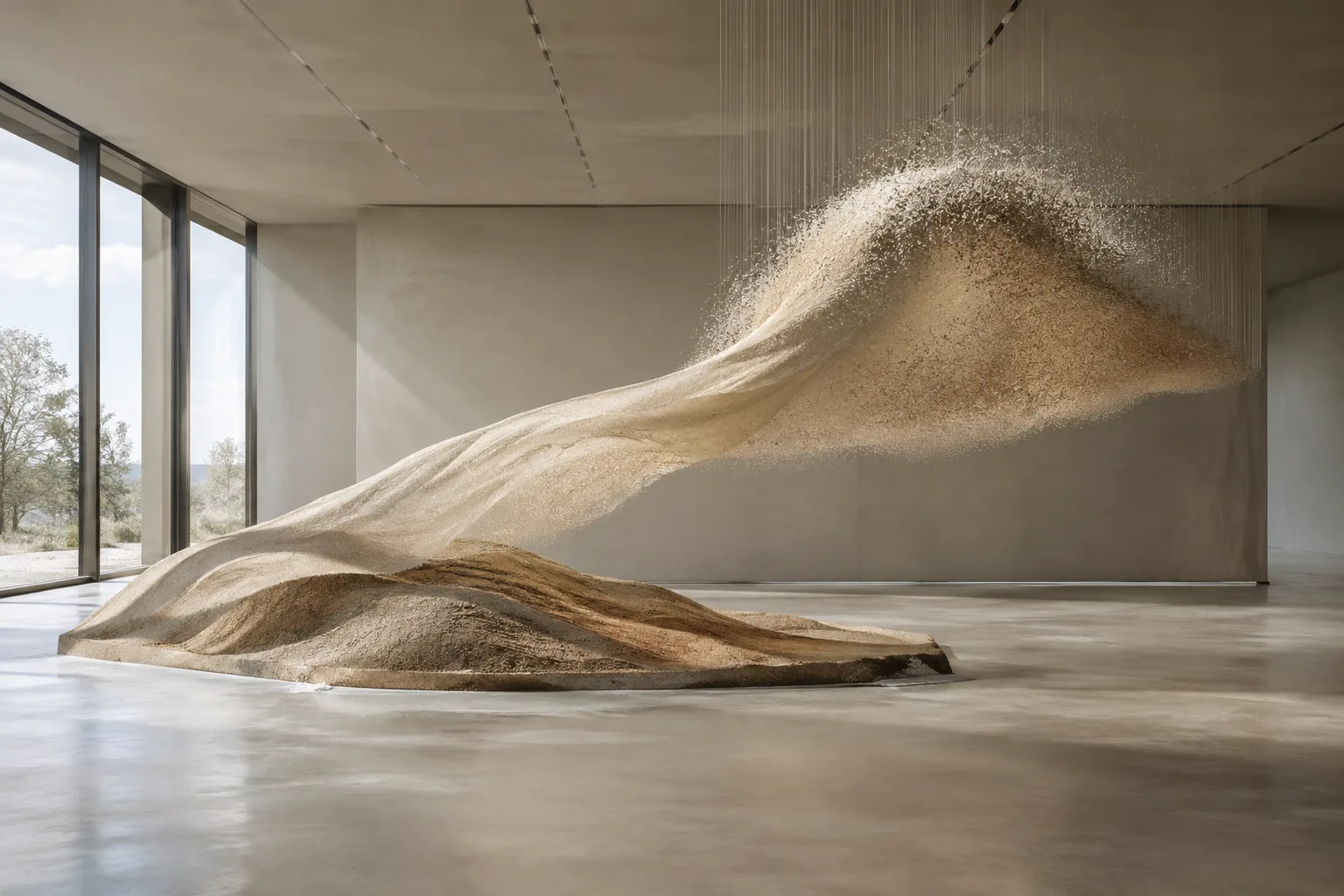
Carnage Grains, developed by Max Miles for Blender, was introduced by 80 Level on 18 November 2026 as a GPU-accelerated add-on designed to create granular materials such as sand, mud, and snow, as well as a range of other simulation effects. A Houdini user, Miles developed the project to bring tools similar to those he was familiar with into a Blender workflow. Its XPBD solver can handle both freely moving grains and materials held together by gravity or adhesive forces.
How can grain movement be controlled?
In Carnage Grains, animated objects can be used to move, stretch, and deform the simulated material. Users can choose when the simulation starts and whether grains appear as individual particles or as a textured surface. These options make it possible to control not only how the grains move but also how the result is presented.
The material’s stretching, breaking, and reshaping behavior, along with its direction of movement, can be adjusted. Changes can be made to a cached simulation without having to run it again from the beginning. 80 Level reports that the tool can be used for familiar examples such as sand, mud, and snow, as well as more unusual effects. The developer highlights gore and creature effects as particularly interesting use cases.
What are the hardware and version requirements?
The add-on requires an NVIDIA GPU. Since the source does not specify a particular graphics card model or memory capacity, it is not possible to draw more detailed conclusions about hardware compatibility or performance. According to the developer, speed depends on the GPU, grain count, and simulation settings. Smaller grains can provide more detail, but they also increase GPU memory usage.
The current version of Carnage runs only on 64-bit Windows and requires Blender 5.1 or later. Anyone considering the add-on should therefore check their operating system and Blender version in advance. The product is available as a one-time purchase, with no additional charge for future updates and upgrades. The source article does not disclose the purchase price.
Impact on architectural and visualization workflows
For architectural visualization teams, a potential use for Carnage Grains could be short animations and effects involving moving granular materials. For example, a visualization artist looking to show how sand or snow behaves in a scene could explore the add-on’s options for moving the material and presenting it as a surface or as particles. This does not mean the add-on has integration with specific architectural software; the source describes it as an add-on for Blender.
When deciding whether it is right for an office or artist, hardware and compatibility should be considered alongside simulation features. The NVIDIA GPU requirement may be a significant limitation for teams working on macOS or other operating systems, and the current version’s 64-bit Windows requirement should also be checked. Since grain size and count affect performance, the desired level of detail for a project should be evaluated alongside the available hardware.
Developer also disclosed the use of AI assistance
Max Miles has openly stated that he made extensive use of AI assistance in developing Carnage. According to 80 Level, Miles says he respects users who feel differently about this approach and that anyone who has already purchased the product and changes their mind for this reason can contact him. This disclosure about the development process may therefore be a factor in a purchase decision, alongside the product’s technical features.
Carnage Grains’ value for architectural visualization depends on which projects require granular material effects and whether existing workstations meet the NVIDIA GPU requirement. Teams using Blender should verify the version and operating system requirements in advance, and account for GPU memory needs when simulating more detailed effects.
Sources
1 sourceSource texts are not republished; short quotes are marked, everything else is our own summary and commentary.
Carnage Grains is worth considering for visualization artists using Blender because it offers a dedicated simulation option for materials such as sand and snow. Teams creating scenes with moving materials can compare options such as particle or textured-surface output with their own production needs. However, it would be a mistake to treat the tool as essential for every architectural project; its value depends on how often these kinds of effects are used in a workflow.
For offices in Turkey, three requirements stand out before purchase: an NVIDIA GPU, 64-bit Windows, and Blender 5.1 or later. A one-time license and free future upgrades are appealing, but the source does not provide a price. The impact on GPU memory should also be tested as grain count and detail increase. The developer’s disclosure that AI assistance was used should likewise be factored into a purchase assessment.
Frequently asked questions
Which version of Blender does Carnage Grains work with?
The add-on requires Blender 5.1 or later. The current version also runs only on 64-bit Windows.
What graphics card does Carnage Grains require?
The add-on requires an NVIDIA GPU. The source does not specify a particular model or memory capacity.
How much does a Carnage Grains license cost?
The source article does not provide a price. It says the product is available as a one-time purchase and that future updates and upgrades are free.