In brief
- Tripo P2.0 offers triangle or quad topology, adjustable polygon density, and options for separating parts.
- Astra is used to bring generated components together in Blender and coordinate subsequent production steps.
- The Tripo team says the workflow is suited to ideation, presentation materials, prototyping, and previz.
- The team emphasizes that manual checks and adjustments may still be needed for deformation, facial expressions, and secondary motion.
In an interview published by 80 Level on October 23, 2026, the Tripo team discussed using its 3D generation model P2.0 together with Astra. In the proposed workflow, Tripo creates 3D assets and separate components from text or image prompts, while Astra helps assemble those parts in Blender and move them on to subsequent steps such as rigging and animation. The team says the approach can be used particularly in the early and middle stages of production.
What modeling options does P2.0 offer?
According to Tripo, P2.0 can generate meshes made up of triangular or quad faces. Users can adjust polygon density, and the model also includes features such as separating parts, Smart UVs, editing meshes in specific areas, and generating different variations from a single prompt. The approach is not limited to producing a single, monolithic result; it also allows an asset to be divided into components that can be edited later.
The Tripo team says generating parts separately makes it easier to rework the shape or detail of a specific section. For example, a single component can be corrected without recreating the entire asset. The company also says export settings include controls for scale, orientation, and pivot. These come into play when transferring assets to other software or game engines.
What role does Astra play in the workflow?
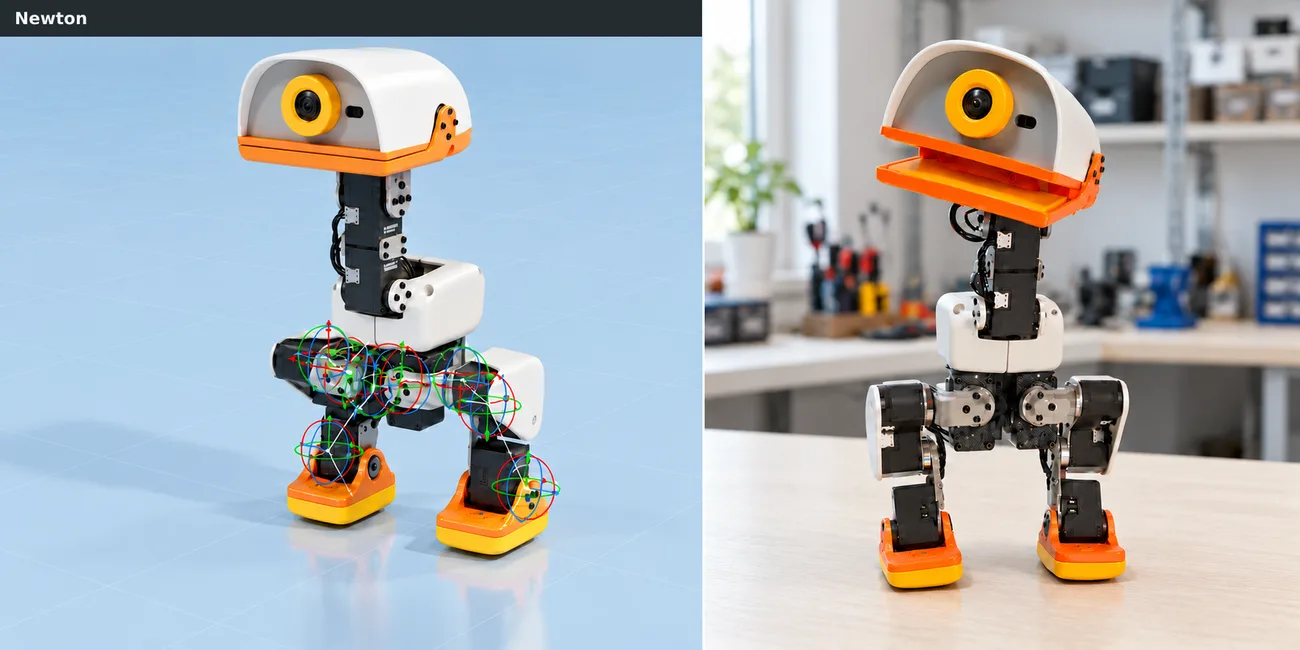
In one example described in the interview, the body, head, and hair are created as separate assets, then assembled and developed further in Blender. Astra helps bring the parts together and coordinate the subsequent steps. According to the Tripo team, this division of labor lets the generation model focus on creating 3D assets while Astra handles editing and implementation.
The team also mentions automated rigging and animation options for characters. However, not every output should be assumed to be ready for final production. The interview notes that proportions, part alignment, silhouette, and connection points need to be checked. Deformation around areas such as the shoulders, elbows, and knees during movement, as well as facial expressions, should also be evaluated. Ensuring that materials and textures look consistent across different parts is another part of quality control.
What this means for architects and visualization teams
In architecture and interior design projects, this approach could be considered particularly for stages such as early ideation, presentations, or creating interactive prototypes. However, the examples in the interview focus mainly on characters, game scenes, and interactive experiences, so they do not offer a direct conclusion about how usable the assets would be in architectural production. Blender and Unity workflows are demonstrated, while Rhino is also mentioned in a question; the answer, however, provides no information about a specific Rhino integration or compatibility.
The Tripo team sees the system as suitable for early and middle production stages because of its speed and cost advantages. Even so, the team notes that a professional studio may want to refine important assets further in the 3D software it uses. The interview does not provide information about hardware requirements, licensing terms, or pricing. Teams should therefore test exported files and quality-control steps before using them in their own projects.
Sources
1 sourceSource texts are not republished; short quotes are marked, everything else is our own summary and commentary.
For architecture and visualization offices in Turkey, the most tangible value of this approach is its potential to quickly turn early-stage ideas into 3D assets and prototypes. However, the interview’s examples focus on game and character production; usability in architectural production should be tested separately for each project type.
Teams evaluating P2.0 and Astra should account not only for transferring assets into their existing software, but also for cleanup and quality-control time. Since hardware requirements, pricing, and licensing terms have not been disclosed, it would be wise to wait for clarity on these points before making a decision and to test the results with real project files.
Frequently asked questions
What 3D modeling options does Tripo P2.0 offer?
According to the Tripo team, P2.0 offers triangle or quad topology and adjustable polygon density. It also includes part separation, Smart UVs, and localized mesh editing.
How is Astra used with Tripo P2.0?
Parts created with Tripo can be assembled in Blender with help from Astra and moved on to subsequent stages such as rigging and animation.
Have the pricing or hardware requirements for Tripo P2.0 and Astra been disclosed?
The 80 Level interview does not disclose pricing, licensing terms, or hardware requirements.