In brief
- NVIDIA App 11.0.9 adds DLSS 4.5 Ray Reconstruction support for GeForce RTX series GPUs.
- Users can now configure Resizable BAR controls on a per-application basis.
- Version 11.0.8 added 240 FPS recording with ShadowPlay on GeForce RTX 50 and 40 Series cards.
- Twinmotion is also included in the list of games that received DLSS Override support in NVIDIA App 11.0.8.
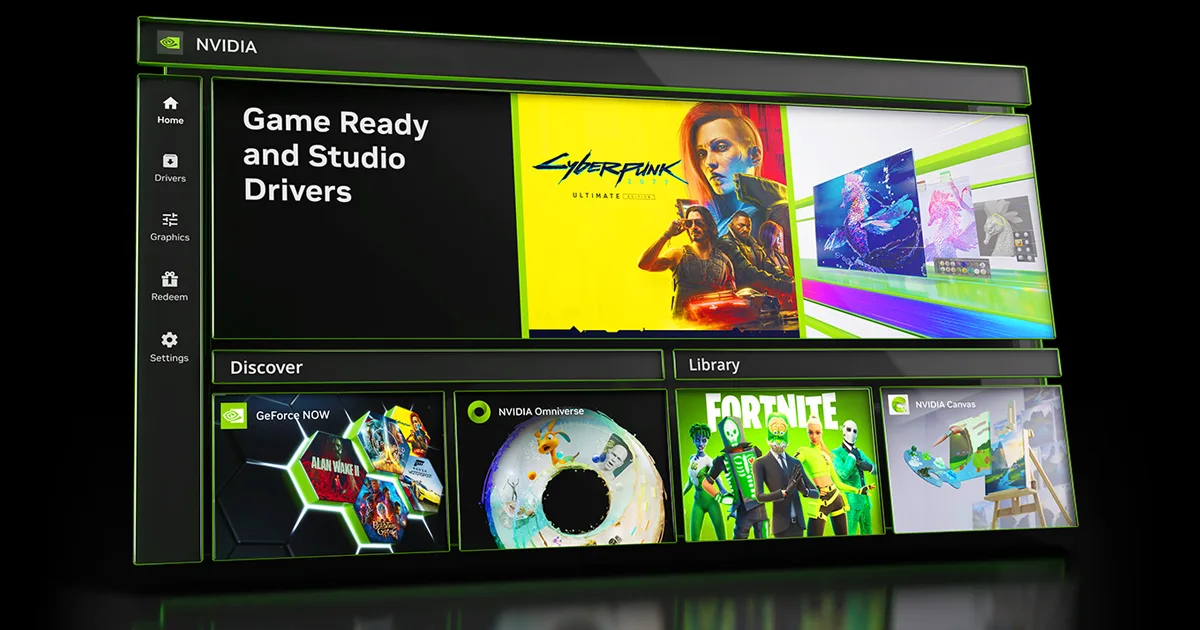
NVIDIA says in the NVIDIA App 11.0.9 release notes that DLSS 4.5 Ray Reconstruction support has been added for GeForce RTX series graphics cards. The company’s official release notes do not specify when the update was released. The version also includes per-application Resizable BAR controls and several interface changes. The notes explain where to find these settings in NVIDIA App.
How to access DLSS 4.5 support
According to NVIDIA, DLSS 4.5 Ray Reconstruction is available for GeForce RTX series GPUs. The setting can be enabled in NVIDIA App under Graphics > Program Settings > Driver Settings > DLSS Override - Model Presets. The relevant DLSS features are available via the “Recommended” option here.
The release notes do not include a numerical comparison of the feature’s impact on image quality or performance. The update should therefore be viewed as adding support and access to settings; results should not be assumed to be the same across all applications and systems.
Per-application graphics settings
The Resizable BAR controls added in version 11.0.9 let users manage the setting on a per-program basis. NVIDIA says the option can help optimize gaming performance based on the hardware configuration. It can be found under Graphics > Program Settings > Driver Settings > Resizable BAR.
This version also includes a green-dot badge to highlight new features and sidebar links that activate on hover. An option to turn NVIDIA App integration with the Windows desktop right-click menu on or off has been added, and the CUDA System Fallback policy has been moved from NVIDIA Control Panel. Borderless Window mode support has been added to Optimal Playable Settings, alongside several stability fixes.
Twinmotion and recording updates in previous versions
According to the 11.0.8 release notes, ShadowPlay supports 240 FPS recording on GeForce RTX 50 and 40 Series graphics cards. Twinmotion is also included in that version’s list of games that received DLSS Override support. The source does not measure potential performance or image-quality gains in specific Twinmotion scenes.
The 11.0.8 notes also list options to combine the taskbar on one display and extend windows across all displays, along with several bug fixes. The release notes therefore cover changes to recording and display management as well as DLSS options.
Impact on architecture and visualization workflows
For architectural visualization teams, one point of direct interest is that Twinmotion appears on the list of applications that received DLSS Override support in version 11.0.8. Per-application graphics options in NVIDIA App may be useful for users who want to manage settings separately for different software. However, the release notes do not detail usage conditions in Twinmotion, supported project configurations, or performance differences.
DLSS 4.5 support is specified for GeForce RTX series GPUs, so hardware compatibility should be checked. The Resizable BAR option can also be managed per application. The sources contain no information about the update’s price or licensing terms. Before rolling it out to production computers, offices can test the changes in the applications they use and with their current card configurations to help check compatibility details that are not specified.
Sources
1 sourceSource texts are not republished; short quotes are marked, everything else is our own summary and commentary.
For architecture offices and visualization teams, the notable points are the ability to manage graphics settings per application in NVIDIA App and Twinmotion’s inclusion in the DLSS Override support list in the previous version. However, the release notes do not measure performance or image-quality differences in architectural scenes, so it would be inaccurate to treat the update as a guaranteed speed boost.
Check GeForce RTX hardware requirements and application compatibility before installing. The sources contain no information about pricing or licensing changes. Offices would be wise to test the version on one workstation with the projects they use to assess its impact on their workflow.
Frequently asked questions
Which DLSS feature is included in NVIDIA App 11.0.9?
According to the release notes, DLSS 4.5 Ray Reconstruction support has been added for GeForce RTX series GPUs.
Does Twinmotion get NVIDIA App DLSS Override support?
Twinmotion appears in the list of games that received support in the NVIDIA App 11.0.8 release notes.
When was NVIDIA App 11.0.9 released?
The official release notes provided do not specify the release date for the 11.0.9 update.